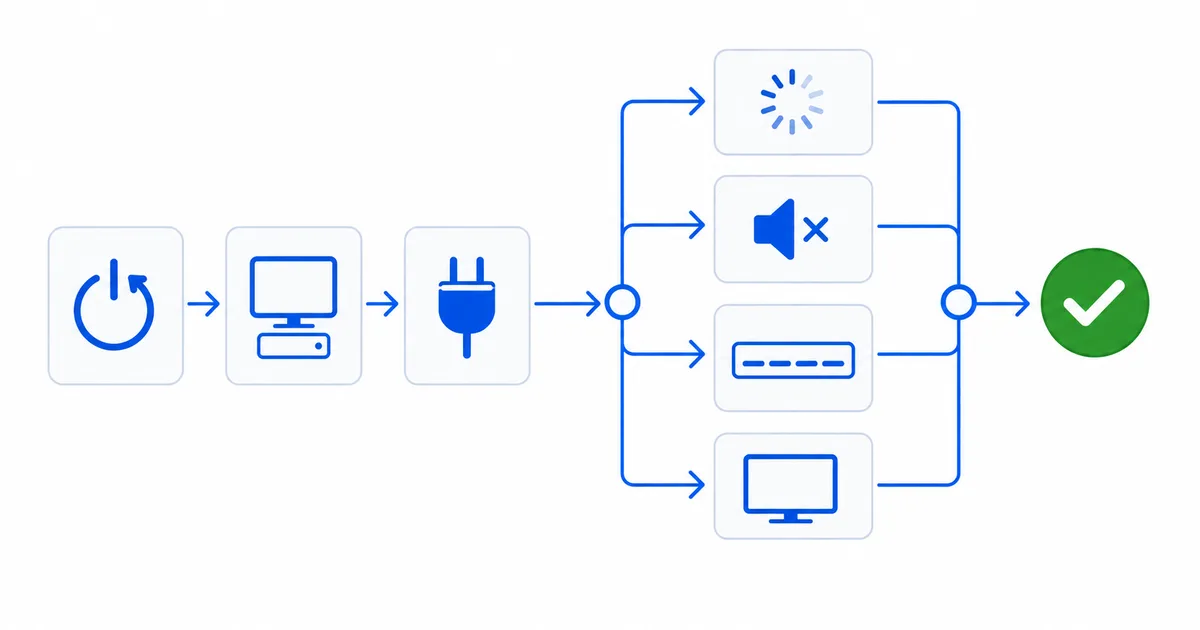
When streaming breaks, work from the simplest fix to the most specific: restart the device and router, check whether it’s one app or the whole network, improve your connection, then jump to the detailed guide for your exact symptom. This is the master checklist for every streaming problem — a graduated routine plus a symptom-to-solution table linking every detailed fix guide. Bookmark it as your starting point.
Step 1: The Universal Fixes (Try These First)
Most problems clear here, before any specific fix:
- Restart the streaming device — clears memory and glitches.
- Reboot the router — off 30 seconds, then on; fixes connection and buffering issues.
- Isolate the problem — is it one app (an app issue) or every app (device/network)? Is it one device or all devices (the network)?
- Improve the connection — wire up with Ethernet or move closer to the router.
- Update the app and device software; clear the app’s cache; free storage.
If that doesn’t resolve it, find your exact symptom below.
Step 2: Find Your Symptom
Playback & Quality
| Symptom | Start here | Detailed guide |
|---|---|---|
| Buffering / spinning | Wire up; lower quality | Fix buffering |
| Blurry / low quality | Raise quality setting; check plan | Fix poor quality |
| 4K won't engage | Check plan, output, cable/port | Fix 4K not working |
| HDR looks washed out | HDR picture mode; HDMI enhanced | Fix HDR washed out |
| Black screen (protected) | Reseat HDMI; connect direct | Fix black screen (HDCP) |
| Buffering on Plex | Direct play; wire the server | Fix buffering on Plex |
| Jellyfin transcoding issues | Enable hardware acceleration | Fix Jellyfin transcoding |
Audio & Subtitles
| Symptom | Start here | Detailed guide |
|---|---|---|
| No sound | Set audio to PCM/Stereo | Fix no sound |
| Audio out of sync (lip-sync) | Restart; adjust audio delay | Fix audio/video sync |
| Subtitles not showing | Select track; add matching file | Fix subtitles not showing |
Connection & Wi-Fi
| Symptom | Start here | Detailed guide |
|---|---|---|
| Weak Wi-Fi at the TV | Reposition; 5 GHz; mesh; Ethernet | Fix weak Wi-Fi |
| Won’t connect to Wi-Fi | Reboot router; re-enter password | Fix not connecting to Wi-Fi |
| Slow VPN while streaming | Nearby server; WireGuard | Fix slow VPN (streaming) · general |
Apps, Login & Guide
| Symptom | Start here | Detailed guide |
|---|---|---|
| App keeps crashing | Clear cache; update; reinstall | Fix app crashing |
| Apps load slowly | Clear cache; free storage | Fix slow app loading |
| Login errors | Reset password; fix date/time | Fix login errors |
| No TV guide (EPG) | Re-add XMLTV; refresh | Fix EPG not loading |
Hardware & Remote
| Symptom | Start here | Detailed guide |
|---|---|---|
| Remote not working | Replace batteries; re-pair | Fix remote not working |
| Fire TV Stick overheating | HDMI extender; wall adapter | Fix Fire TV overheating |
Step 3: When It’s Not You
Some problems aren’t yours to fix: a service outage (check the provider’s status page), your ISP or router down across all devices, or content not licensed in your country — see how geo-blocking works. Otherwise, the guides above cover almost everything.
The Bottom Line
Troubleshoot in order: restart the device and router, isolate app versus device versus network, improve your connection, then use the table to jump to the exact fix. Keep this checklist bookmarked as your first stop. Understand the fundamentals in our internet speed and Wi-Fi vs Ethernet guides, pick reliable hardware in our best streaming devices guide, and look up any term in the streaming glossary.