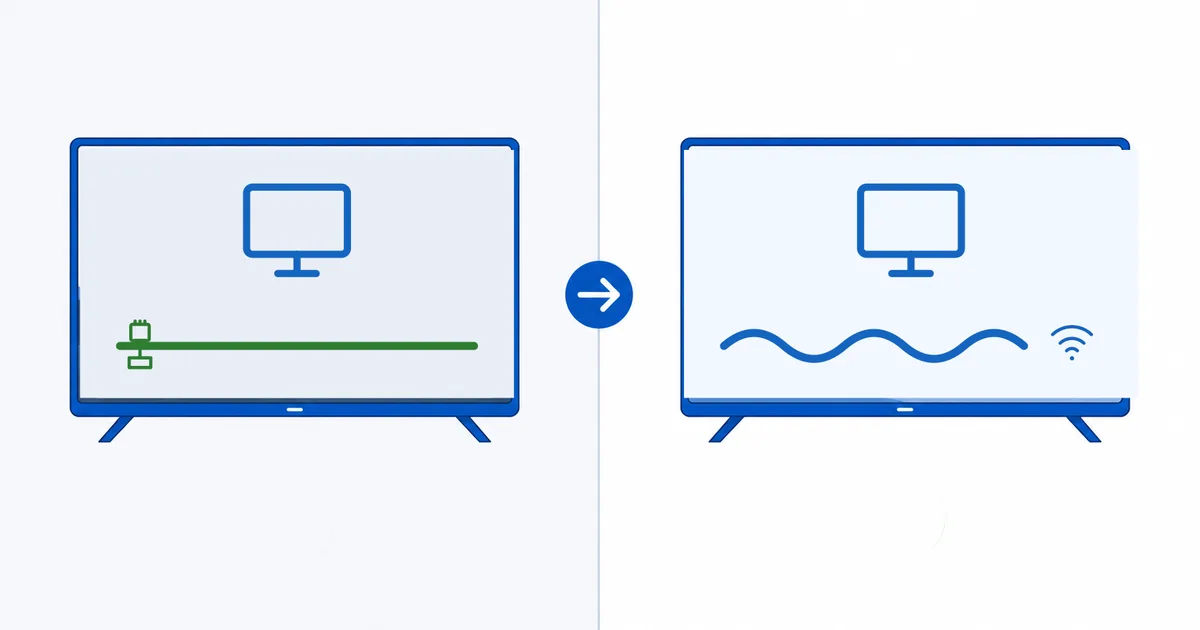
Ethernet is the more reliable choice for streaming because it delivers a stable, low-latency, interference-free connection, while Wi-Fi is more convenient but variable. Neither gives you more than your internet plan provides — but on the same plan, a wired link streams 4K more consistently, especially for a main TV. This guide explains why, when Wi-Fi is perfectly fine, and how to get buffer-free streaming on either.
What Actually Matters for Streaming
Streaming does not need huge speed — it needs steady speed. As we cover in the internet speed guide, about 25 Mbps handles a 4K stream. The enemy of smooth playback is not a low headline number but inconsistency: brief dips that empty the player’s buffer and cause stalls.
Three qualities decide streaming smoothness:
- Stability — does the connection hold a steady rate, or dip?
- Latency — how quickly the connection responds.
- Packet loss — how often data must be re-sent.
Ethernet wins on all three; Wi-Fi trades some of each for convenience.
Wi-Fi vs Ethernet Compared
| Factor | Ethernet | Wi-Fi |
|---|---|---|
| Stability | Very high, constant | Varies with distance/interference |
| Latency | Low | Higher, fluctuates |
| Packet loss | Minimal | More, from interference |
| Interference | None | Walls, neighbours, other devices |
| Convenience | Needs a cable | Wireless, easy |
| Best for | Main 4K TV, big files | Phones, tablets, distant rooms |
The takeaway: Ethernet for consistency, Wi-Fi for convenience. On identical internet plans, the wired connection simply drops fewer packets, so it holds a higher-quality adaptive bitrate rung for longer.
When to Choose Ethernet
Wire it up when reliability matters most:
- Your main living-room 4K TV or home cinema, especially for HDR and Atmos.
- You already buffer on Wi-Fi, even after moving closer to the router.
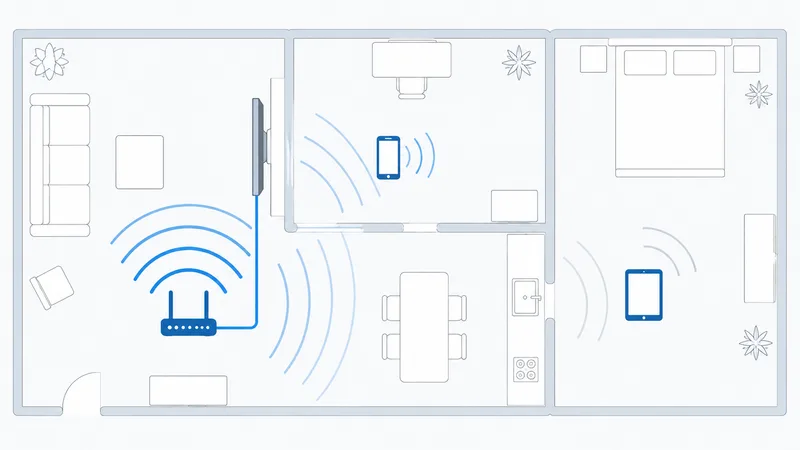
- The device is far from the router or separated by thick walls.
- Several people stream at once and Wi-Fi congests in the evening.
When Wi-Fi Is Fine
Modern Wi-Fi is more than capable in many situations:
- A close, modern router on 5 GHz or 6 GHz (Wi-Fi 6/6E) streams 4K reliably.
- Phones and tablets that move around — wiring them is impractical anyway.
- Rooms near the router with few obstacles and little interference.
If your Wi-Fi is strong and stable, you may never see a difference. The right router settings — the correct band, channel and placement — close much of the gap.
Getting the Best From Either
Whichever you use, a few steps prevent most buffering:
- On a streaming stick with no port, add an official Ethernet adapter (it plugs into the power port). Boxes like Apple TV and NVIDIA Shield have Ethernet built in — see the best streaming devices guide.
- On Wi-Fi, use the 5 GHz or 6 GHz band for the TV, and place the router high and central.
- Reduce interference — keep the router away from microwaves and cordless phones.
- Restart the router periodically to clear congestion.
- Rule out throttling — if only streaming suffers, read our ISP throttling guide.
The Bottom Line
For a main TV that must never stutter — especially 4K, HDR and Atmos — Ethernet wins on the consistency that streaming actually depends on. For phones, tablets and rooms far from a cable, strong Wi-Fi 6 is more than enough. The smart setup wires the living-room TV and lets Wi-Fi handle everything mobile. Either way, stability beats headline speed every time.
Next, tune your network with our router settings for streaming and check whether your provider is throttling your video.
Not sure about a term on this page? Look it up in the streaming glossary.