HDR (High Dynamic Range) expands the gap between the darkest and brightest parts of a picture and widens the colour range, so streaming looks more lifelike than standard SDR — brighter highlights, deeper blacks and richer colour. The main formats are HDR10, HDR10+, Dolby Vision and HLG, and they differ mainly in how they carry brightness information and which devices support them. This guide explains each, what you need to watch HDR, and why it sometimes looks wrong.
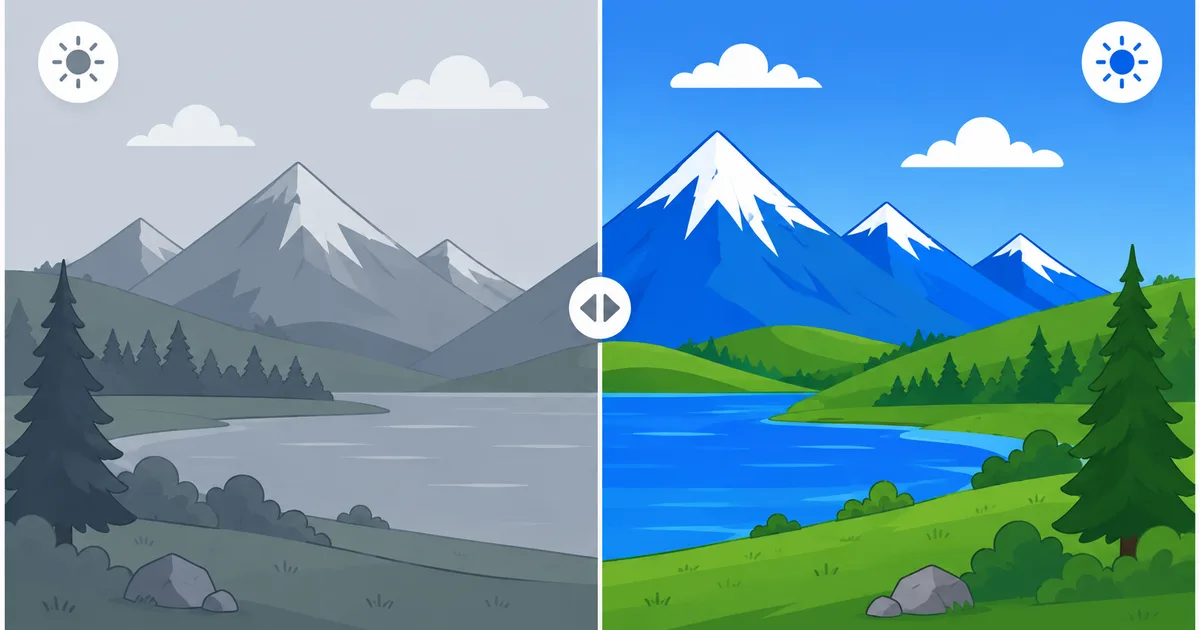
What HDR Is
Standard video (SDR) can only show a limited range of brightness and colour. HDR raises the ceiling on both:
- Dynamic range — the distance between the darkest black and the brightest highlight. HDR makes highlights (the sun, a lamp, a reflection) genuinely bright while keeping detail in shadows.
- Wider colour — HDR uses a larger colour space and more shades (10-bit or 12-bit vs SDR’s 8-bit), so gradients are smoother and colours more vivid.
HDR is usually paired with 4K resolution, but the two are separate: HDR is about brightness and colour, resolution is about pixel count. Efficient codecs like H.265 make HDR streaming practical.
The HDR Formats
The formats differ mainly in metadata — the instructions telling your TV how bright each scene should be.
- HDR10 — the open, royalty-free baseline. Uses static metadata: one brightness profile for the entire title. Supported by essentially every HDR TV.
- HDR10+ — an upgrade of HDR10 with dynamic metadata that adjusts scene by scene. Royalty-free, backed by Samsung and Amazon.
- Dolby Vision — dynamic metadata plus up to 12-bit colour. Licensed by Dolby, widely used in premium TVs and cinema; often the best-looking on capable displays.
- HLG (Hybrid Log-Gamma) — built for live broadcast by the BBC and NHK. Backward-compatible: one signal looks right on both HDR and SDR TVs, ideal for live TV and sport.
Static vs dynamic metadata: static (HDR10) sets one brightness map for the whole film; dynamic (HDR10+, Dolby Vision) re-optimises every scene, so a dark scene after a bright one is tuned correctly rather than compromised.
Format Comparison Table
| Format | Metadata | Colour depth | Royalty-free? | Best for |
|---|---|---|---|---|
| HDR10 | Static | 10-bit | Yes | Universal baseline, all HDR TVs |
| HDR10+ | Dynamic | 10-bit | Yes | Samsung/Amazon devices |
| Dolby Vision | Dynamic | Up to 12-bit | No (licensed) | Premium TVs, best picture |
| HLG | None (built-in) | 10-bit | Yes | Live broadcast and sport |
There is no single winner: HDR10 guarantees compatibility, Dolby Vision and HDR10+ improve on it scene by scene where supported, and HLG solves live broadcast. Many titles ship in more than one format and your TV picks the best it can display.
What You Need to Watch HDR
HDR needs an unbroken chain — miss one link and you get SDR:
- An HDR TV that supports the format, with enough brightness to show it.
- A streaming device that outputs HDR — see our best streaming devices guide.
- An app and plan that include HDR (often the premium tier).
- HDR content — the specific title must be mastered in HDR.
- HDMI 2.0a or later cable and port, with the right settings enabled.
Tip: many TVs ship with HDR limited in "eco" or "standard" picture modes. If HDR looks dim, switch to a "Cinema," "Filmmaker" or "HDR" picture mode and enable any "HDMI enhanced/deep colour" setting for the input.
Fixing HDR Problems
| Symptom | Likely cause | Fix |
|---|---|---|
| HDR looks washed out | Wrong picture mode / dim display | Use Cinema/Filmmaker mode; check brightness |
| No HDR badge on the stream | App, plan or title isn’t HDR | Confirm the title and tier support HDR |
| HDR too dark | TV not bright enough / bad tone mapping | Adjust HDR brightness; use a brighter picture mode |
| Colours look wrong | HDMI colour setting off | Enable enhanced/deep colour for that HDMI input |
| Stutter in HDR 4K | Device or connection can’t keep up | Use a capable device; check speed |
The Bottom Line
HDR is the biggest visible upgrade in modern streaming — not more pixels, but better ones, with brighter highlights, deeper blacks and richer colour. HDR10 is the universal baseline, HDR10+ and Dolby Vision refine it scene by scene, and HLG serves live TV. To enjoy it you need every link in the chain: an HDR TV, a capable device, an HDR title and the right settings. Get those right and streaming genuinely looks more like real life.
Next, see how HDR fits with resolution and the codecs that make it streamable, or check the internet speed 4K HDR needs.
Not sure about a term on this page? Look it up in the streaming glossary.