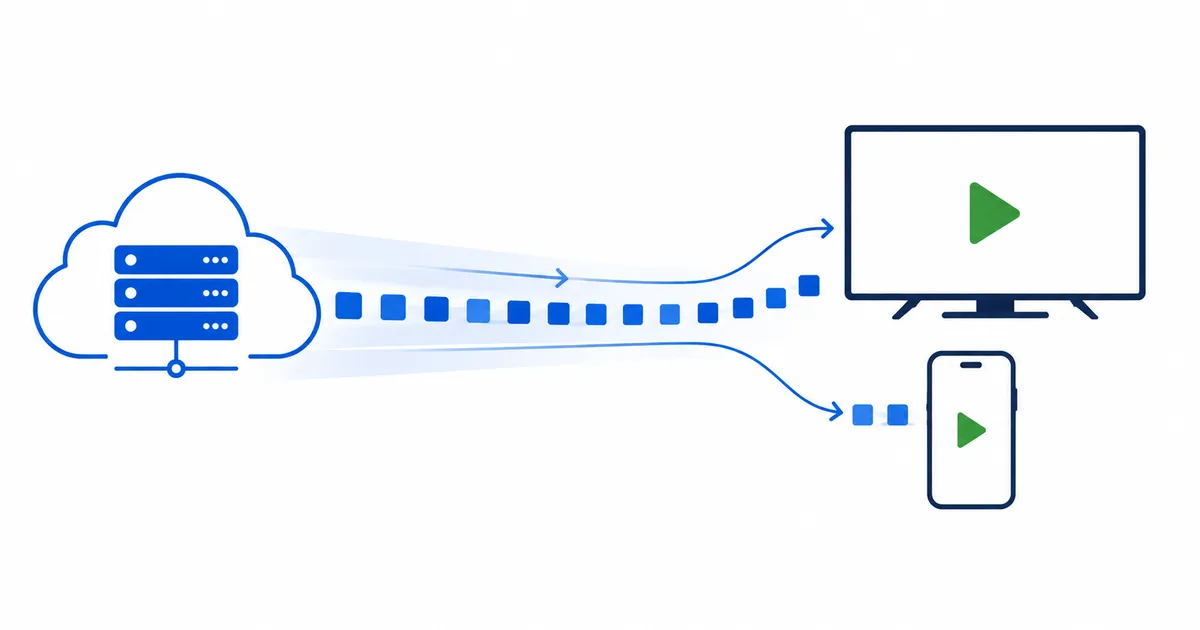
Streaming works by breaking a video into small chunks — usually two to ten seconds each — and sending them to your device over the internet, where a player buffers a few ahead and plays them in order. Because your device never downloads the whole file, playback starts within seconds and the quality adjusts automatically to your connection. This guide explains each step — encoding, packaging, delivery through a CDN, and adaptive playback — in plain language.
Streaming vs Downloading
The simplest way to understand streaming is to compare it with downloading:
| Downloading | Streaming | |
|---|---|---|
| When it plays | After the whole file transfers | Almost immediately |
| Storage used | The full file is saved | Only a few seconds are buffered |
| Works offline | Yes, once saved | No — needs a live connection |
| Quality | Fixed at the file you chose | Adjusts to your connection |
Streaming trades permanence for instant access. You give up owning the file, and in return you start watching in seconds and never fill your storage.
The Journey of a Stream
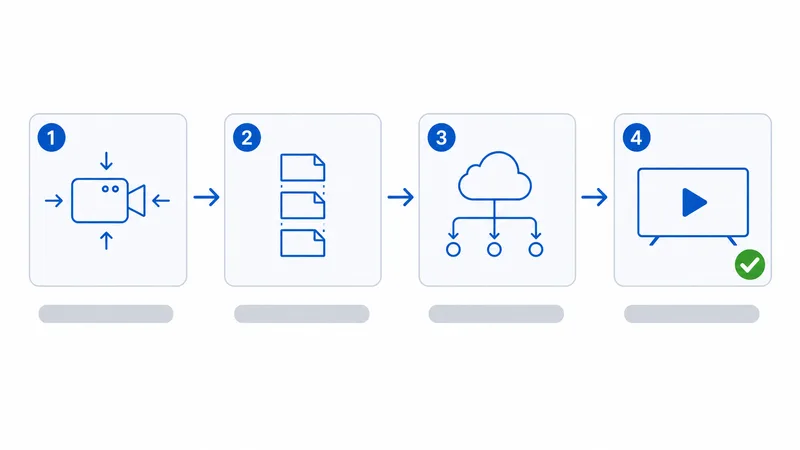
Every stream — Netflix, a live channel, or a YouTube clip — makes the same four-stage trip from a provider to your screen.
1. Encoding
Raw video is enormous, so it is compressed with a codec such as H.264, H.265 (HEVC) or AV1. The codec removes redundant information — parts of the picture that do not change between frames — shrinking the file dramatically with little visible quality loss. The amount of data kept per second is the bitrate, measured in megabits per second (Mbps).
2. Packaging into chunks
The encoded video is cut into short segments, typically 2–10 seconds long, and each segment is produced at several quality levels. A manifest file (an M3U8 for HLS, or an MPD for DASH) lists every segment and quality so your player knows what to request.
3. Delivery through the network
Those segments are copied to a content delivery network and travel across the internet to your router. Using a CDN means the video starts from a server near you rather than a single distant origin.
4. Playback and buffering
Your player downloads several segments in advance into a buffer, decodes them, and plays them back-to-back. The buffer is the safety cushion: if the network briefly slows, playback continues from stored segments instead of freezing.
Adaptive Bitrate: How Quality Adjusts
The single most important idea in modern streaming is adaptive bitrate (ABR). Because each segment exists at several qualities, your player can switch between them mid-stream.
Here is what happens second by second:
- The player requests a segment and measures how quickly it arrives.
- If it downloaded faster than real time, the player steps up to a higher quality for the next segment.
- If it arrived slowly or the buffer is shrinking, the player steps down to keep playing.
This is why a film may start slightly soft and sharpen after a few seconds, and why quality dips instead of the picture freezing when someone else joins your Wi-Fi. A rough guide to the quality tiers:
| Resolution | Typical bitrate | Speed needed per stream |
|---|---|---|
| SD (480p) | 1–3 Mbps | ~5 Mbps |
| HD (720p) | 3–5 Mbps | ~10 Mbps |
| Full HD (1080p) | 5–8 Mbps | 15–25 Mbps |
| 4K (2160p) | 15–25 Mbps | 25 Mbps+ |
For a full breakdown by household and service, see our guide to the internet speed needed for streaming.
Why CDNs Make It Fast
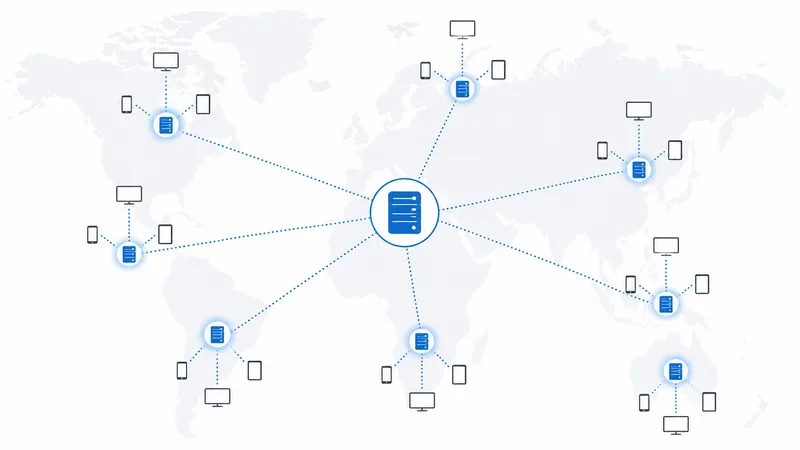
A content delivery network (CDN) is a worldwide fleet of servers that cache copies of popular video close to viewers. Without one, every stream would travel from a single origin server — adding distance, latency and a bottleneck when millions watch at once.
With a CDN:
- Your device connects to the nearest node, often within your own country or city.
- Popular content is already cached there, so it starts instantly.
- Load is spread across thousands of servers, so peak-time demand does not collapse the service.
The physical distance data travels directly affects latency — the delay before playback responds. A nearby CDN node keeps that delay to a few milliseconds.
Why Streams Buffer
Buffering is simply your player running out of stored segments before the next ones arrive. Understanding the pipeline above makes the causes obvious:
- Slow or unstable connection. Segments arrive slower than they play, draining the buffer.
- Wi-Fi interference or distance. A weak signal causes packet loss and retries.
- Peak-time congestion. Your ISP or the CDN node is overloaded in the evening.
- An overloaded device. An old streaming stick can struggle to decode 4K in real time.
Fastest fixes: connect by Ethernet or move closer to a 5 GHz router, close background apps, and restart the router. A wired 25 Mbps line usually streams more smoothly than an erratic 100 Mbps Wi-Fi signal — stability beats headline speed.
The Bottom Line
Streaming is a pipeline: compress the video, cut it into short chunks at several qualities, cache those chunks on a nearby CDN, and let your player pull and buffer them while adapting to your connection. Once you picture that flow, both the magic and the occasional buffering make sense — and the fixes become obvious.
To see where these ideas fit among related terms, read IPTV vs OTT vs Streaming, or start from the basics with what IPTV is.
Not sure about a term on this page? Look it up in the streaming glossary.