The fastest fix for weak Wi-Fi is to move the router and device closer with fewer walls between them, connect to the 5 GHz band, and if that’s not enough, add a mesh node or run Ethernet to the TV. Weak Wi-Fi at the TV is the number-one cause of buffering. This guide gives the real fixes — placement, bands, channels, mesh and wired — with a diagnosis table and per-device tips. It builds on our Wi-Fi vs Ethernet and router settings guides.
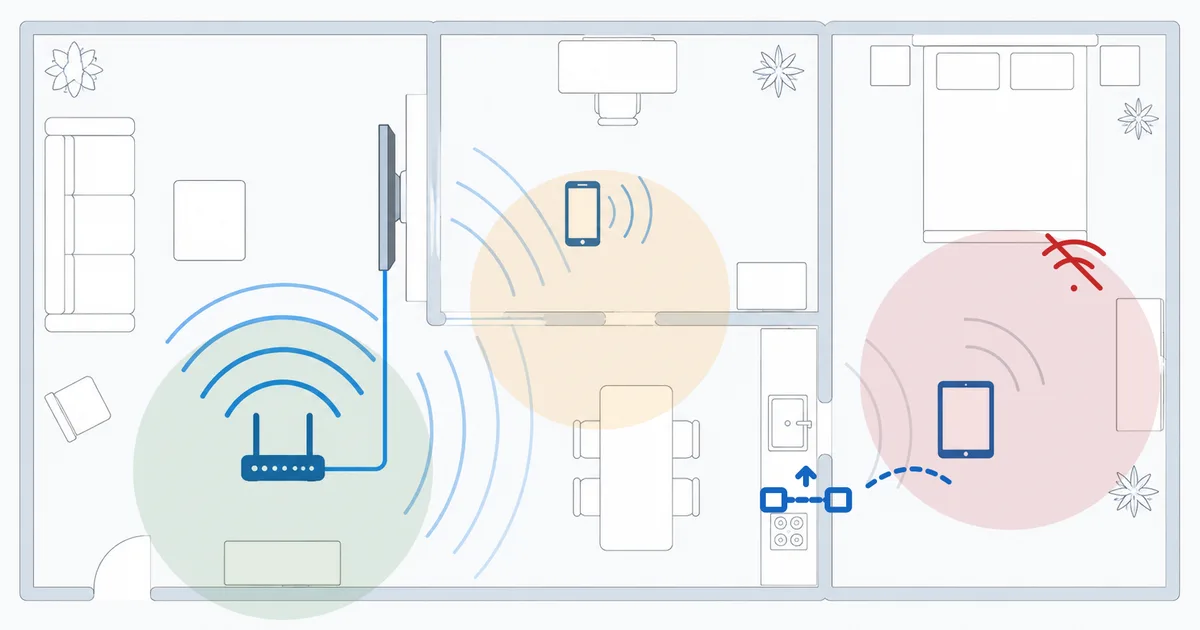
Causes, Most to Least Common
- Distance and walls — the TV is far from the router with obstacles between.
- Wrong band — on 2.4 GHz when 5 GHz would be faster, or vice versa.
- Channel congestion — neighbours’ networks crowding your channel.
- Router placement — tucked in a cabinet or corner, not central and open.
- Small device antenna — a stick crammed behind the TV.
Diagnosis and Fixes: Easiest First
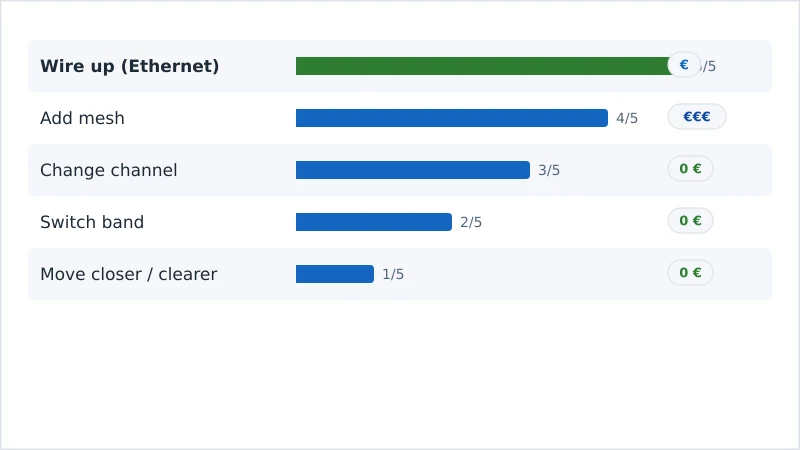
- Move things closer / clearer. Reposition the router centrally and high, or move the device — fewer walls make the biggest difference.
- Switch band. Use 5 GHz near the router (fast), 2.4 GHz for distance. See router settings.
- Change channel. Pick a less congested channel in the router admin.
- Add mesh. In a big or multi-floor home, a mesh node near the TV removes dead zones.
- Wire up. An Ethernet run or powerline adapter to the TV is the most reliable fix.
Check Ethernet Adapters on Amazon → Check Mesh Systems on Amazon →
Diagnosis Table
| Symptom | Likely cause | Fix |
|---|---|---|
| Weak only at a distant TV | Distance / walls | Move router; add mesh; wire up |
| Fast near router, slow far | Band choice | Use 5 GHz close, 2.4 GHz far |
| Slow when neighbours are home | Channel congestion | Change to a less busy channel |
| Whole house patchy | Router placement / coverage | Central placement or a mesh system |
| Stick weak behind the TV | Small antenna / obstruction | Ethernet adapter or HDMI extender |
By Device
- Fire TV Stick: cramped behind the TV — use an HDMI extender to reposition it, or an Ethernet adapter to wire up. See speed up a slow Fire TV.
- Apple TV / Android TV boxes: many have Ethernet ports — use them, or place them in the open.
- Smart TV: built-in antennas are weak — a mesh node nearby or a wired connection helps most.
The Bottom Line
Fix weak Wi-Fi in order of effort: reposition for fewer walls, pick the right band (5 GHz close, 2.4 GHz far), change to a clear channel, add a mesh node for big homes, and — best of all for a fixed TV — run Ethernet or use a powerline adapter. Understand the trade-offs in our Wi-Fi vs Ethernet guide and router settings guide, fix the symptom in our buffering guide, pick a device with Ethernet in our best streaming devices guide, and start from our streaming troubleshooting checklist, and look up any term in the streaming glossary.