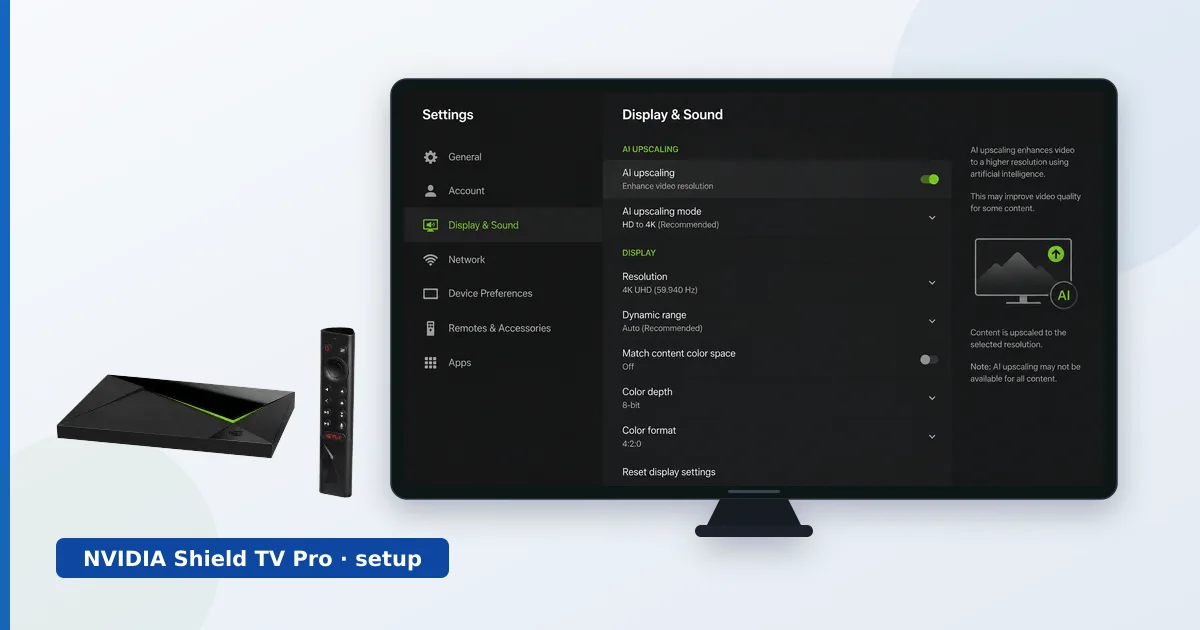
Setting up an NVIDIA Shield TV Pro takes about fifteen minutes: connect it, sign in with your Google account, install apps, enable HDR and AI upscaling, and — if you want a media hub — set up Plex. This step-by-step guide covers the full process, including wiring Ethernet and configuring Plex, plus a troubleshooting table. For a full assessment, see our NVIDIA Shield TV Pro review.
Before You Start
You will need:
- An NVIDIA Shield TV Pro, its remote and power supply.
- A Premium High Speed HDMI cable for 4K HDR.
- An Ethernet cable (recommended) or Wi-Fi details.
- A Google account, and optionally USB storage for Plex.
Step-by-Step Setup
- Connect the hardware. Plug the Shield into an HDMI port and power, and select that input on your TV.
- Connect to the network. Plug in the built-in Gigabit Ethernet for the steadiest connection, or join Wi-Fi.
- Sign in with Google. Access the Play Store and Android TV features.
- Install your apps. Download streaming and IPTV player apps from the Play Store.
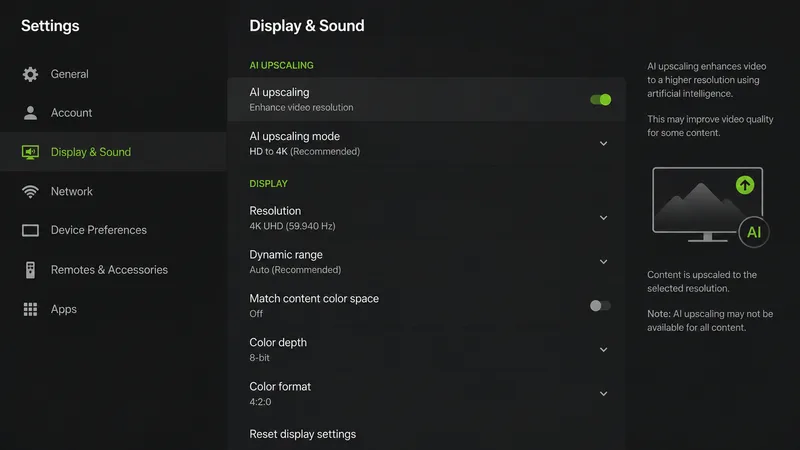
- Enable HDR and AI upscaling. In Display and Sound, set resolution and HDR, then turn on AI upscaling.
- Set up Plex (optional). Install the Plex app to watch, and the Plex Media Server app to host your library from USB or a network share.
Tip: for the best Plex experience, wire the Shield with Ethernet and aim for Direct Play by using files your clients support natively.
Troubleshooting Common Problems
| Problem | Likely cause | Fix |
|---|---|---|
| No 4K or HDR | Cable/input limitation | Use a Premium High Speed cable; enable the input’s full-format mode |
| Plex buffering | Wi-Fi or transcoding load | Wire it; aim for Direct Play |
| No Dolby Atmos | Format/passthrough off | Enable surround passthrough; use eARC to a soundbar |
| AI upscaling not visible | Option disabled | Turn it on in Display and Sound |
| App won’t install | Not on Play Store | Sideload from a trusted source |
The Bottom Line
The NVIDIA Shield TV Pro is quick to get running and rewards a few extra minutes of setup: wire the Ethernet, enable HDR and AI upscaling, and configure Plex if you want a media hub. Done right, it is the most capable streaming device you can own — a superb player and a genuine Plex server in one box. The troubleshooting table above handles the usual snags.
Read our full NVIDIA Shield TV Pro review, see it compared in Shield vs Apple TV 4K, and look up any term in the streaming glossary.