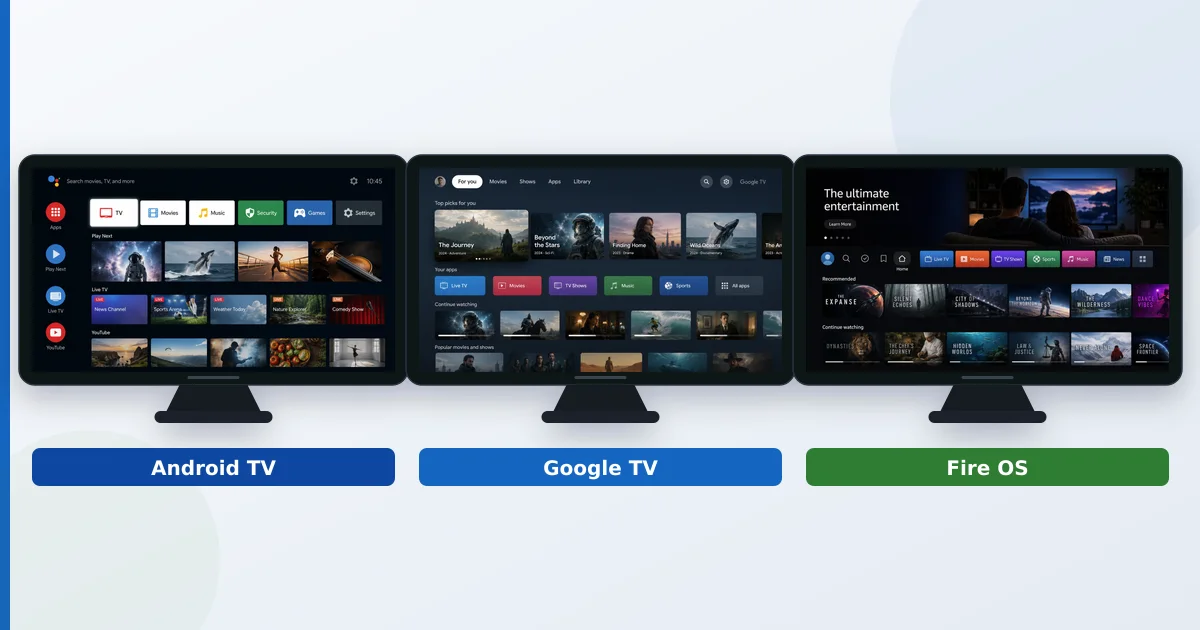
Android TV, Google TV and Fire OS are all built on Android under the hood, but they differ in interface, app store, and how much they push their maker’s content. Google TV is a content-first interface layered on Android TV; Android TV is the app-focused original; and Fire OS is Amazon’s fork with its own store and Alexa. This guide compares the three on apps, interface, privacy and price so you can pick the right one.
Shared Roots, Different Faces
All three platforms descend from Android, which is why they feel familiar and share many apps. The differences are on the surface and in the ecosystem:
- Android TV and Google TV are both Google’s, using the Google Play Store. Google TV is simply a newer interface on top of Android TV.
- Fire OS is Amazon’s fork of Android — same foundations, but its own Amazon Appstore, no Google services, and Alexa instead of Google Assistant.
Think of Android TV and Google TV as two skins on one system, and Fire OS as a cousin that went its own way.
Android TV
Android TV is the original app-focused platform, still found on many TVs and boxes like the NVIDIA Shield.
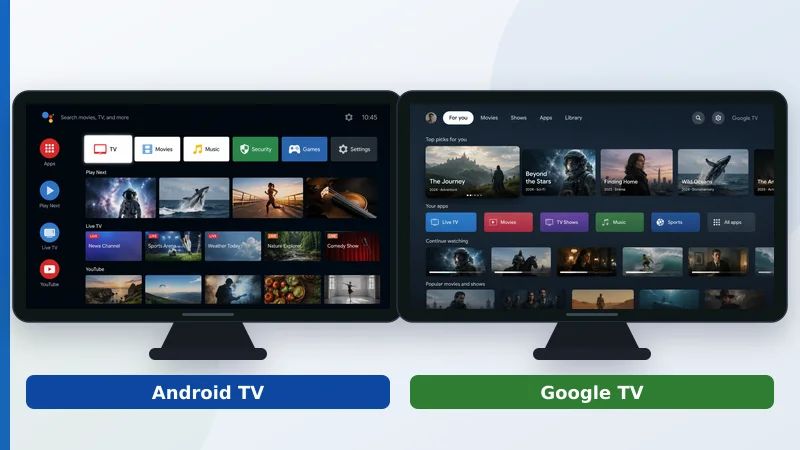
- Interface: a home screen built around apps and rows.
- Store: full Google Play Store.
- Assistant: Google Assistant.
- Best for: people who prefer an app-led layout and wide device choice.
Google TV
Google TV is Google’s current interface, shipping on the Google TV Streamer, Chromecast and newer TVs.
- Interface: content-first, with recommendations and a unified watchlist across services.
- Store: the same Google Play Store as Android TV.
- Assistant: Google Assistant, with strong voice search.
- Best for: people who want suggestions and a single watchlist, and who live in Google’s ecosystem.
Because it shares Android TV’s app library, you lose no apps moving between them — only the home-screen style changes.
Fire OS
Fire OS powers Amazon’s Fire TV sticks and boxes. It is Android-based but Amazon-run.
- Interface: Amazon-centric, promoting Prime Video and sponsored content — often seen as ad-heavy.
- Store: the Amazon Appstore (no Google Play); most big apps are present, some are not.
- Assistant: Alexa, which is excellent for voice and smart-home.
- Best for: Amazon/Prime users who want cheap hardware and Alexa. See the Fire TV Stick setup guide.
Missing apps can sometimes be added by sideloading, Fire OS’s usual workaround for the Appstore’s gaps.
Side-by-Side Comparison
| Factor | Android TV | Google TV | Fire OS |
|---|---|---|---|
| Maker | Amazon | ||
| App store | Google Play | Google Play | Amazon Appstore |
| Interface | App-focused | Content-first + watchlist | Amazon-centric |
| Assistant | Google Assistant | Google Assistant | Alexa |
| Ads on home | Fewer | Some | Most |
| Price | Varies | Mid | Often cheapest |
The apps you get are the same across Android TV and Google TV; Fire OS trades Google’s store and services for Amazon’s ecosystem and lower prices.
Which to Choose
- Google TV — best all-rounder if you use Google/Android and want a content-first interface with a watchlist.
- Android TV — good if you prefer an app-led layout or want a specific device like the Shield.
- Fire OS — best value if you are an Amazon/Prime household and like Alexa, and don’t mind a busier, more promotional home screen.
Whichever you pick, remember a streaming device only changes the software brain — see smart TV vs streaming device — and pair it with capable IPTV players and apps.
The Bottom Line
Android TV, Google TV and Fire OS all share Android foundations but differ where it counts: Google TV and Android TV use the Play Store and Google Assistant, with Google TV adding a content-first interface and watchlist, while Fire OS swaps in Amazon’s Appstore, Alexa and a more promotional home screen at often lower prices. Pick by ecosystem — Google or Amazon — and by how much you value a clean interface versus a cheap device.
Next, learn how to add missing apps in what is sideloading, or compare hardware in the best streaming devices guide.
Not sure about a term on this page? Look it up in the streaming glossary.