A media server is software — and the computer it runs on — that stores your personal video, music and photos and streams them to your devices at home or over the internet. It gives your own library a Netflix-like experience: organised, with artwork and descriptions, playable on any screen. The best-known are Plex, Jellyfin and Emby. This guide explains how media servers work, how the three compare, and what hardware you need.
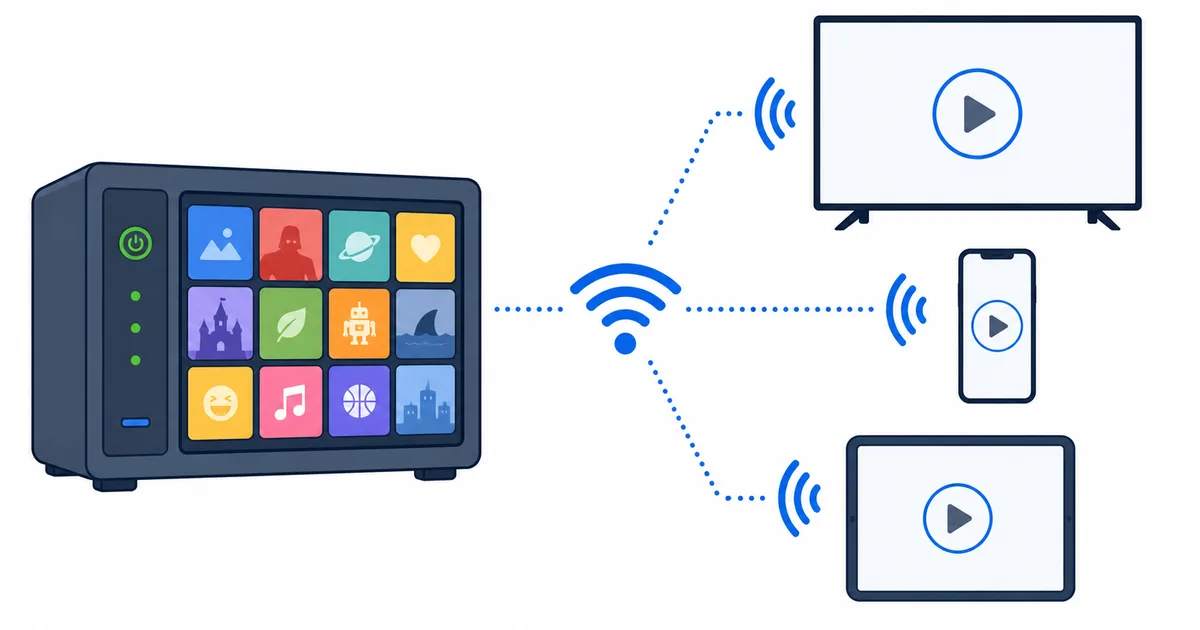
What a Media Server Is
A media server has two parts: the server software that manages your library, and client apps on your devices that connect to it. You point the server at your folders of films, shows, music and photos, and it:
- Organises everything, fetching artwork, titles, descriptions and metadata.
- Streams it on demand to any connected device, at home or away.
- Handles playback — including transcoding a file on the fly if a device can’t play the original.
The result is your own personal streaming service for media you own or store, rather than a subscription catalogue.
How It Works
The flow is straightforward:
- Install the server on an always-on computer (PC, NAS, mini PC or box).
- Add your libraries by pointing it at your media folders.
- It scans and organises — matching files to artwork and metadata.
- Install client apps on your TVs, phones and tablets.
- Browse and play — the client connects to the server, which streams the file, using Direct Play or transcoding as needed.
At home it streams over your network; away, it uses remote access over the internet, limited by your upload speed.
Plex vs Jellyfin vs Emby
The three leading options suit different priorities:
| Plex | Jellyfin | Emby | |
|---|---|---|---|
| Cost | Free + paid (Plex Pass) | Fully free | Free + paid tier |
| Openness | Closed-source | Open-source | Mostly closed |
| Ease | Most polished | Good, more hands-on | Polished |
| Privacy | Account-based | No account, self-hosted | Account optional |
| Best for | Simplicity & features | Free, private, control | A middle path |
Plex is the easiest and most feature-rich, Jellyfin is the free, open, privacy-friendly choice, and Emby sits in between. All three organise and stream your library well — the choice is about cost, openness and how hands-on you want to be.
What Hardware You Need
A media server needs three things:
- A computer to run it — a spare PC, a NAS, a mini PC, or a dedicated box that stays on.
- Storage — enough for your library, and room to grow; usually the biggest requirement.
- A network — ideally the server and main TVs on Ethernet for steady streaming.
How powerful it must be depends on transcoding. If most content Direct Plays to compatible devices, a modest machine is fine. Heavy transcoding — many streams, or 4K HDR — needs a stronger CPU or a GPU for hardware acceleration.
Getting Started
A sensible first setup:
- Pick your software — Plex for ease, Jellyfin for free and open, Emby for a middle path.
- Choose the host — an always-on PC or NAS with adequate storage.
- Organise your files with clear names so metadata matches cleanly.
- Install client apps on your streaming devices and phones.
- Aim for Direct Play to keep quality high and load low, and secure remote access with strong passwords.
The Bottom Line
A media server is your own private streaming service: software on an always-on computer that organises your video, music and photos and streams them to any device, at home or away. Plex is the easiest, Jellyfin the free and open choice, and Emby the middle path. Match your hardware to how much transcoding you’ll do — light libraries need little, heavy 4K transcoding needs a GPU — and it’s entirely legal for your own content.
Next, learn the playback detail that decides server load in transcoding vs Direct Play, or pick client hardware in the best streaming devices guide.
Not sure about a term on this page? Look it up in the streaming glossary.