| # | Product | Rating | Price | |
|---|---|---|---|---|
| 1 | Infuse (Firecore)Best Player for Apple TV | Free tier · Pro ≈ €1/mo, yearly or lifetime | Check Price |
Infuse is the best media player for Apple TV, iPhone and iPad in 2026 — a beautifully native app with broad codec support that plays local files, network shares and Plex or Jellyfin libraries. It provides no content of its own; it’s the polished Apple front end for media you already have. Its strengths are format support, subtitles and library presentation; its limit is that it’s Apple-only. This review covers what it does and who it’s for — part of our best IPTV players and streaming apps guide.
What Infuse Is
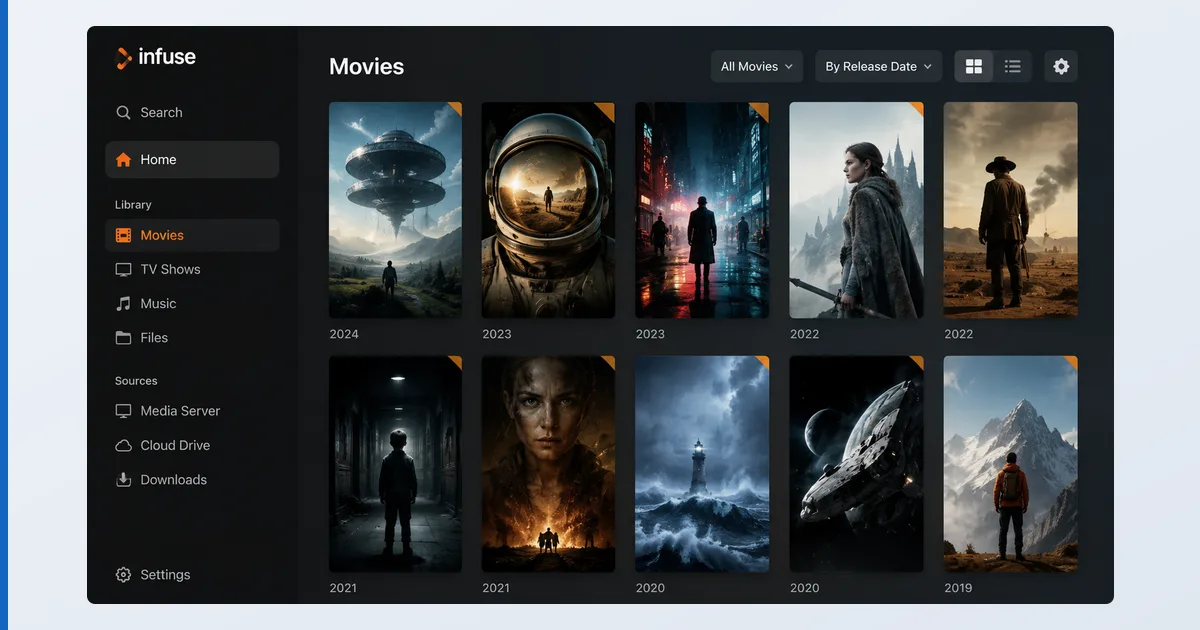
Infuse (by Firecore) is a media player built exclusively for Apple devices — Apple TV, iPhone, iPad and Mac. It’s not a server and not a content source; it’s the polished front end that plays your own media from local storage, network shares (SMB, DLNA, NAS), cloud services, or a Plex, Jellyfin or Emby server. Its calling cards are broad codec support and a gorgeous, metadata-rich library. Like VLC, it’s a neutral tool — what you watch, you supply.
Specifications
| Feature | Detail |
|---|---|
| Platforms | Apple TV (tvOS), iPhone/iPad (iOS), Mac — Apple only |
| Codecs | Very broad — plays formats the native app refuses |
| Sources | Local, SMB/DLNA/NAS, cloud, Plex/Jellyfin/Emby |
| Subtitles | Auto-download, styling, multi-track |
| Library | Rich metadata, artwork, sync across Apple devices |
| Live TV | Not its focus (use an IPTV player) |
| Price | Free tier · Pro ≈ €1/mo, yearly, or lifetime |
Using Infuse
On an Apple TV 4K, Infuse is a joy: point it at a network share or a media server and it builds a beautiful, artwork-rich library in minutes, with fast navigation tuned for the Siri Remote. Its codec support is the standout — it played high-bitrate 4K, HEVC, and awkward containers that the native tvOS player and even some other apps refused, and it handled subtitles (auto-download, sync, styling) impeccably.
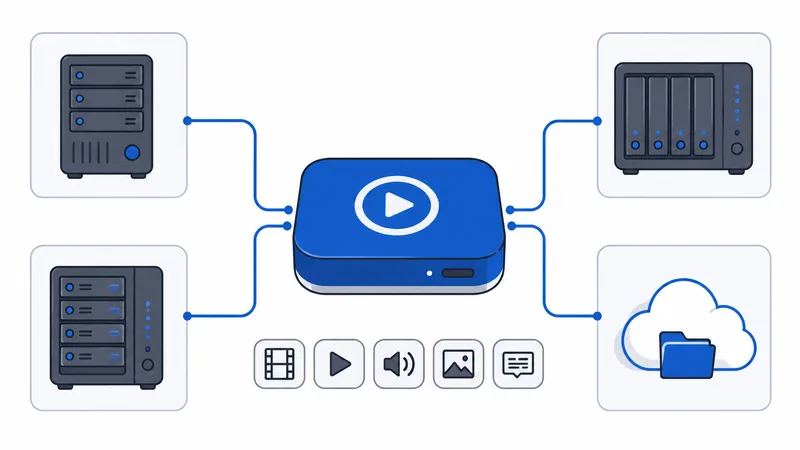
The Plex and Jellyfin integration is the other reason people love it: you can run a media server elsewhere and use Infuse purely as the Apple TV client, gaining its format support and interface over the official apps. Playback leans on direct play where possible; for incompatible files it relies on the device rather than server-side transcoding, so a modern Apple TV or device is best.
✅ Pros
- Outstanding codec support — plays almost anything
- Beautiful, metadata-rich library and native Apple feel
- Connects to Plex, Jellyfin, Emby, NAS and cloud
- Excellent subtitle handling and cross-device sync
❌ Cons
- Apple-only — no Android, Fire TV or Windows
- Best features need Infuse Pro
- Not built for live TV / IPTV
- Relies on device-side playback for odd formats
Who It’s For
Infuse is for Apple TV, iPhone and iPad owners with a local or network media collection who want the best-looking, most format-tolerant player on the platform — especially as a front end for a Plex or Jellyfin server. It’s ideal if the native Apple TV app keeps refusing your files. It’s not for you if you’re outside the Apple ecosystem (it doesn’t exist there), or if you want live IPTV — use IPTV Smarters or TiviMate for that.
Alternatives
- VLC — free universal playback on Apple and everything else, less polished.
- Plex / Jellyfin — full media servers (Infuse pairs with both).
- IPTV Smarters — for live IPTV on iOS, which Infuse doesn’t target.
Price
Infuse has a free tier for basic local and network playback. Infuse Pro (≈ €1/month, cheaper yearly, or a one-off lifetime purchase, observed Jul 2026) unlocks the full codec range, Plex/Jellyfin/Emby and cloud integration, subtitle downloads and library sync. It’s inexpensive, and the lifetime licence is the best value for committed Apple users.
Verdict
Infuse is the player that fixes the Apple TV’s biggest weakness — its fussy native format support — and does it with beautiful design. For anyone in the Apple ecosystem with a varied media collection, or running a Plex/Jellyfin server they want a great tvOS client for, it’s close to essential, and cheap. Its only real limits are being Apple-only and not doing live TV. Pair it with a Plex or Jellyfin server, pick hardware in our best device for Plex guide, see the field in the best IPTV players and streaming apps guide, and look up any term in the streaming glossary.