| # | Product | Rating | Price | |
|---|---|---|---|---|
| 1 | TiviMate IPTV PlayerBest IPTV Player | Free · Premium ≈ €10/yr | Check Price |
TiviMate is the best IPTV player for Android TV and Fire TV in 2026 — a polished, EPG-driven app for watching live TV from your own M3U or Xtream playlist. It provides no channels itself; it’s a player you point at a service you already subscribe to. The free version is capable, but Premium (≈ €10/year) unlocks recording, catch-up and multiple playlists. It’s Android-only, which is its main limitation. This review covers what it does, how it performs, and who it’s for — part of our best IPTV players and streaming apps guide.
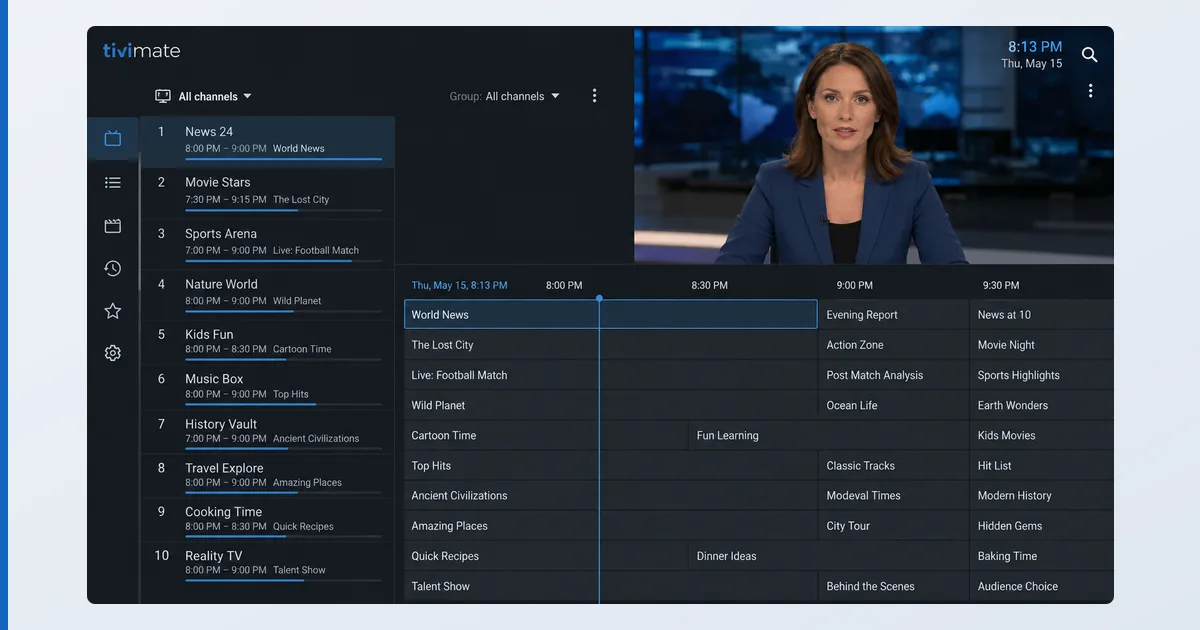
What TiviMate Is (and Isn’t)
TiviMate is a live-TV player for Android-based devices. You give it a playlist — an M3U file or an Xtream Codes login from a service you subscribe to — and it turns that into a slick, cable-like experience with a proper EPG. It ships with no content of its own; it’s a neutral tool, and what you watch is your responsibility. Think of it as VLC with a great living-room TV interface.
Specifications
| Feature | Detail |
|---|---|
| Platforms | Android TV, Google TV, Fire TV, Android phone/tablet |
| Not available on | iOS, Apple TV, Windows, web |
| Playlist formats | M3U / M3U8, Xtream Codes API |
| EPG | XMLTV, per-channel guide, catch-up (Premium) |
| Recording | Yes, scheduled (Premium) |
| Multiple playlists | Premium only |
| Price | Free tier · Premium ≈ €10/year (or one-off Companion) |
Using TiviMate
In testing on a Fire TV Stick 4K Max, setup took under five minutes: add a playlist URL, let the EPG populate, and you get a responsive channel list, a full programme grid and instant channel switching. The remote-first UX is the best in its class — channel groups, favourites, a “recent channels” list and a picture-in-picture preview all work smoothly. EPG accuracy depends on your provider’s data, not the app.
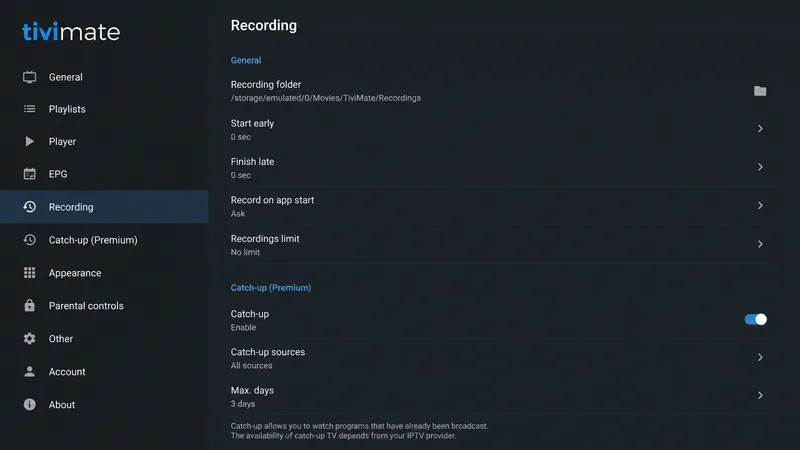
Premium adds the features that make it a true cable replacement: scheduled recording, catch-up/archive, series recording and multiple playlists. On lower-powered sticks, very large playlists (thousands of channels) can slow the guide slightly, but on a 4K Max it stayed fluid.
✅ Pros
- Best-in-class EPG and remote-driven live-TV interface
- Recording, catch-up and multiple playlists (Premium)
- Cheap Premium (≈ €10/year) with no monthly lock-in
- Stable playback of M3U and Xtream sources
❌ Cons
- Android-only — no iOS, Apple TV, Windows or web
- Key features locked behind Premium
- No content included — you must supply a playlist
- Large playlists can lag on low-end devices
Who It’s For
TiviMate is for cord-cutters on Android TV or Fire TV who have a legitimate IPTV subscription or their own legal M3U and want a premium live-TV interface. It’s ideal if you value a real EPG, recording and a remote-friendly layout. It’s not for you if you’re on Apple TV or iOS, want on-demand films and series rather than live channels, or expect the app to provide content — it never does.
Alternatives
- IPTV Smarters / OTT Navigator — other Android IPTV players; Smarters is cross-platform including iOS.
- Plex — for your own media library plus free live TV, across every platform.
- Jellyfin — the free, open-source media-server route.
Price
TiviMate’s free version handles one playlist and basic live TV. Premium (≈ €10/year, observed Jul 2026) unlocks recording, catch-up, series and multiple playlists — cheap for what it adds, with an annual rather than monthly model. A one-off “Companion” purchase is also available on some setups.
Verdict
TiviMate earns its reputation: on Android TV and Fire TV it’s the best live-TV player available, with an EPG and remote UX nothing else matches, at a trivial yearly price. Its limits are platform (Android-only) and scope (a player, not a content source). If you’re in its ecosystem with a legal playlist, it’s an easy recommendation — see how it fits alongside other tools in our best IPTV players and streaming apps guide, and pick the right hardware in the best device for IPTV players guide. Look up any term in the streaming glossary.