An M3U playlist is a plain-text file that lists the locations of media items — such as live TV channels, videos or music tracks — so a media player can load and play them in order. Each line is either a link (a URL or file path) or a description of the next link. IPTV players use M3U files to import an entire channel list at once. This guide explains the format, the difference between M3U and M3U8, what the tags mean, and how to load one safely.
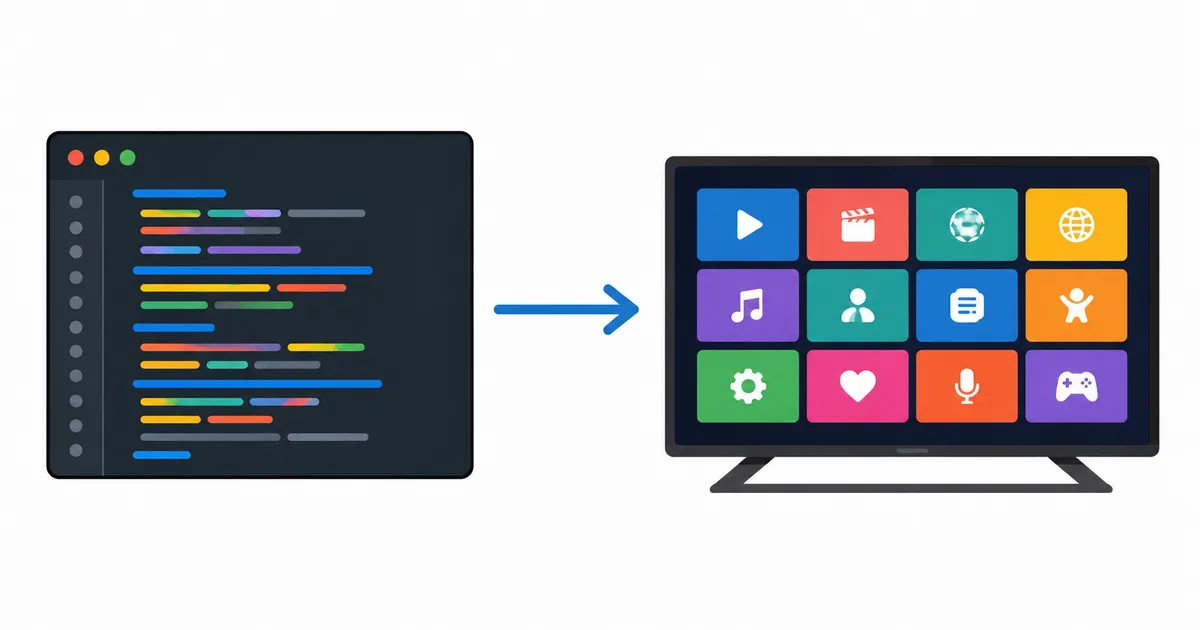
What an M3U File Is
M3U stands for MP3 URL (or Moving Picture Experts Group Audio Layer 3 Uniform Resource Locator). It was created in the 1990s as a simple way to save a music playlist, and it has since become the standard way to hand a list of media links to a player.
The format is deliberately basic: it is a .m3u (or .m3u8) text file you could open in any text editor. It contains no video or audio itself — only pointers to where the media lives. Think of it as a table of contents, not the content.
A minimal M3U file looks like this:
#EXTM3U
#EXTINF:-1,News Channel HD
https://example.com/streams/news.m3u8
#EXTINF:-1,Sports Channel HD
https://example.com/streams/sports.m3u8
The first line, #EXTM3U, marks it as an extended M3U file. Each channel then takes two lines: a #EXTINF description followed by the link that actually plays.
M3U vs M3U8
You will see both .m3u and .m3u8 extensions. The difference is small but worth knowing:
| .m3u | .m3u8 | |
|---|---|---|
| Text encoding | Local / ANSI encoding | UTF-8 |
| International names | May show garbled characters | Displays accents, emoji, non-Latin text correctly |
| Used by HLS streaming | No | Yes — it’s the HLS manifest format |
| Recommended today | Legacy | Preferred |
Because M3U8 uses UTF-8, it handles channel names in any language cleanly, and it is also the manifest format that HLS streaming uses to list video segments. For playlists, prefer M3U8 whenever you have the choice.
Inside the File: Tags Explained
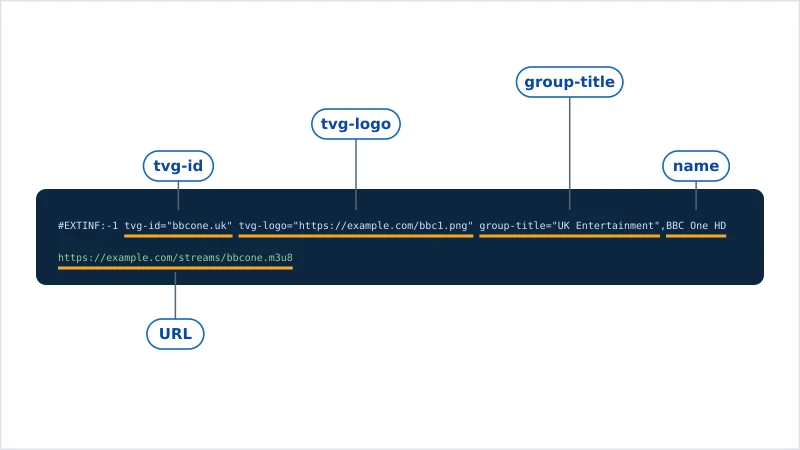
An extended M3U line can carry more than a name. IPTV players read extra tags on the #EXTINF line to build a polished channel list:
| Tag | What it does | Example |
|---|---|---|
#EXTM3U |
Marks the file as extended M3U (always the first line) | #EXTM3U |
#EXTINF:-1 |
Starts a channel entry; -1 means live (no fixed duration) |
#EXTINF:-1,BBC One |
tvg-id |
Links the channel to its EPG data | tvg-id="bbcone.uk" |
tvg-logo |
URL of the channel’s logo image | tvg-logo="https://.../bbc1.png" |
group-title |
The category the channel appears under | group-title="UK Entertainment" |
A fully tagged entry combines them:
#EXTINF:-1 tvg-id="bbcone.uk" tvg-logo="https://example.com/bbc1.png" group-title="UK Entertainment",BBC One HD
https://example.com/streams/bbcone.m3u8
The tvg-id is what connects a channel to its programme guide. To display “what’s on now and next,” your player matches this ID against an EPG (Electronic Program Guide) file.
How to Load an M3U Playlist
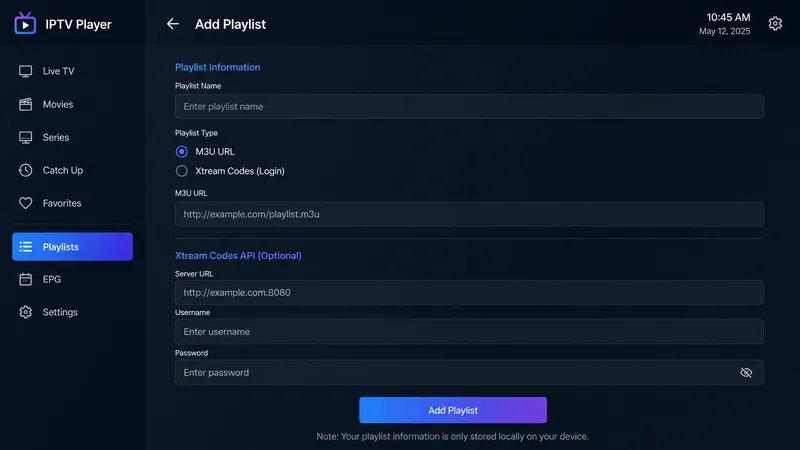
You can add an M3U playlist as either a file or a URL. A URL is usually better, because the source can update the list remotely without you re-importing.
- Get the playlist. Either a local
.m3u/.m3u8file or a hosted M3U URL from a licensed source. - Choose a player. VLC works on computers; on a TV, use an IPTV player such as TiviMate or IPTV Smarters. See our best IPTV players guide.
- Add the playlist. Open the file, or paste the M3U URL into the app’s “add playlist” field.
- Add an EPG (optional). Paste your EPG URL so the guide shows programme names and times.
- Organise. Use
group-titlecategories to sort channels; most players let you hide or reorder groups.
For a full walkthrough on a specific app, follow our step-by-step TiviMate setup guide.
Is It Legal?
The M3U format is completely legal — it is a plain-text list of links, like a bookmarks file. Legality depends entirely on what the links point to.
- Legal: a playlist of your own media, free-to-air channels, or streams from a provider that holds the rights.
- Not legal: a playlist that streams premium or pay-TV channels without the rights holder’s permission, regardless of the file format used to list them.
Be cautious: "loaded" M3U lists sold cheaply with thousands of premium channels are almost always unlicensed. WatchlyGuide only covers licensed sources. If a playlist promises every pay-TV channel for a few euros, it is not a legitimate service.
The Bottom Line
An M3U playlist is nothing more than a text file listing where media lives, with optional tags that tell your player each channel’s name, logo, category and guide ID. Prefer the UTF-8 M3U8 variant, pair it with an EPG for a full guide, load it into a reputable player, and only ever use it with sources that hold the proper rights. Once you understand the #EXTINF line, the whole format is easy to read.
Next, set up the programme guide with our explainer on what an EPG is, or start from the basics with what IPTV is.
Not sure about a term on this page? Look it up in the streaming glossary.