| # | Product | Rating | Price | |
|---|---|---|---|---|
| 1 | Jellyfin Media ServerBest Free & Open-Source Server | Free · open-source (no paid tier) | Check Price |
Jellyfin is the best free, open-source media server in 2026 — a genuine Plex alternative that streams your own library to any device with no paywall, no subscription and no cloud sign-in. Everything Plex charges for, including hardware transcoding, is free here. The trade-off is polish: the apps are rougher, setup is more technical, and client quality varies. For privacy-minded or technical users, it’s outstanding value. This review covers what you get, where it falls short, and who it’s for — part of our best IPTV players and streaming apps guide.
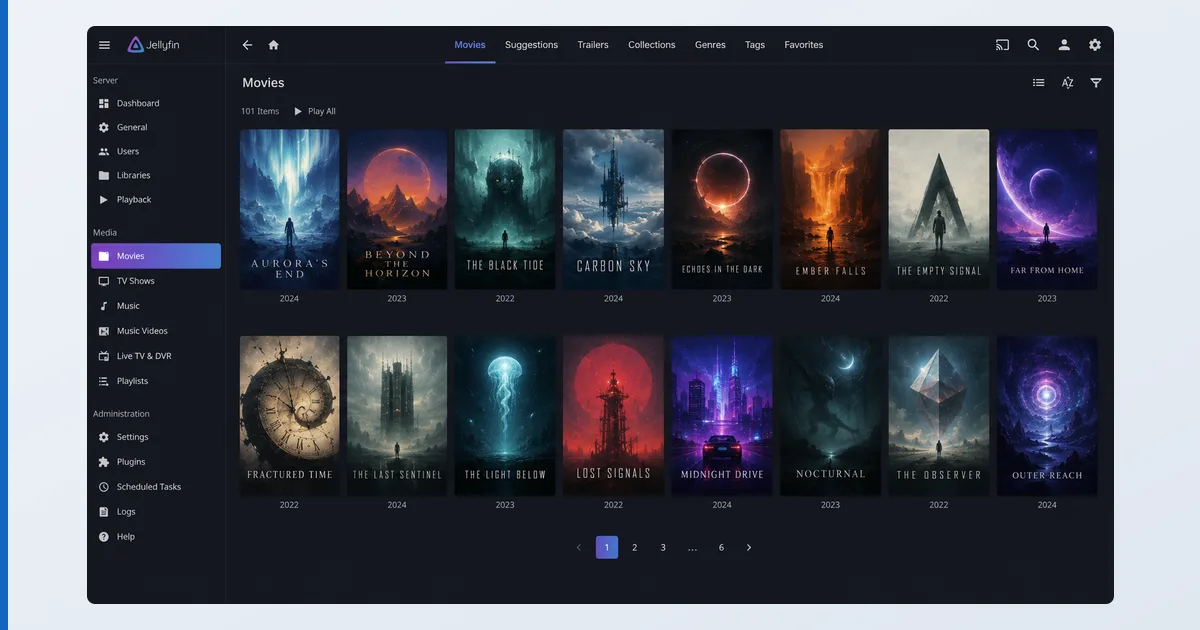
What Jellyfin Is
Jellyfin is a free, open-source media server — a community-run fork born from an earlier version of Emby. Like Plex, you install the server, point it at your media, and it builds a library streamed to apps on your devices. Unlike Plex, there is no company behind a paywall and no cloud account: it runs entirely on your own hardware, and every feature is free. For users who want full control and privacy, that’s the whole appeal.
Specifications
| Feature | Detail |
|---|---|
| Server runs on | Windows, Linux, macOS, Docker, most NAS |
| Client apps | Android TV, Fire TV, Android, iOS, web + third-party (Findroid, Swiftfin) |
| Your library | Films, TV, music, photos with metadata |
| Transcoding | Software and hardware — both free (Quick Sync, NVENC…) |
| Account/cloud | None required — fully self-hosted |
| Licence | Free, open-source (GPL) |
| Price | €0, no paid tier |
Using Jellyfin
Installing the server is quick — a package or Docker container on a PC or NAS — and your library builds much like Plex’s. The web interface is clean and capable, and on Fire TV and Android TV the official apps are solid. Where it shows its roots is the finer detail: metadata occasionally needs manual fixing, remote access is a DIY setup rather than one toggle, and some platforms lean on third-party client apps whose quality varies.
| Jellyfin | Plex | |
|---|---|---|
| Cost | Completely free — no paid tier | Paywalls some features behind Plex Pass |
| Open-source | Yes — free, open-source (GPL) | No |
| Privacy | No account or cloud sign-in required | Requires a Plex account |
| App polish | Rougher, less consistent apps | More polished, better apps |
| Hardware transcoding | Included for free | Reserved for paid Plex Pass |
The standout is transcoding: Jellyfin includes hardware-accelerated transcoding for free — the exact feature Plex locks behind Plex Pass. Configured on a capable GPU, it handles 4K conversion smoothly at no cost. The setup is more manual, but the capability is all there.
✅ Pros
- 100% free and open-source — no paywall, ever
- Free hardware transcoding (paid on Plex)
- Fully private: no account or cloud dependency
- Active community and steady development
❌ Cons
- Rougher, less consistent apps than Plex
- More technical setup (remote access, metadata, transcoding)
- Some platforms rely on variable third-party clients
- No bundled free movies or live TV like Plex
Who It’s For
Jellyfin is for privacy-conscious and technically comfortable users who want a completely free, self-hosted media server with no strings — no account, no paywall, no cloud. It’s ideal if you value control and open-source software and don’t mind a little configuration. It’s not the pick if you want the smoothest possible apps with zero setup, or bundled free live TV — that’s Plex.
Alternatives
- Plex — more polished apps and easier setup, but paywalls transcoding and needs an account.
- Emby — the part-open middle ground Jellyfin forked from.
- TiviMate — for live IPTV playlists rather than your own media files.
Price
Jellyfin is completely free, with no paid tier, subscription or feature locks — including the hardware transcoding that costs extra on Plex. The only “cost” is your time: setup and maintenance are more hands-on. For anyone willing to invest a little effort, it’s the best value in the media-server category, full stop.
Verdict
Jellyfin is a remarkable free alternative to Plex: your own library on every device, hardware transcoding included, and complete privacy with no account or cloud — all at zero cost. It asks more of you in setup and polish, and its third-party apps can be uneven, but for the right user those are fair trades for total control and no paywall. If you want effortless polish, choose Plex; if you want free, open and private, Jellyfin is the one. Pick suitable hardware in our best device for Plex guide (the same devices run Jellyfin), understand the tech in our transcoding explainer, see the wider field in the best IPTV players and streaming apps guide, and look up any term in the streaming glossary.