| # | Product | Rating | Price | |
|---|---|---|---|---|
| 1 | VLC Media PlayerBest Utility Player | Free · open-source | Check Price |
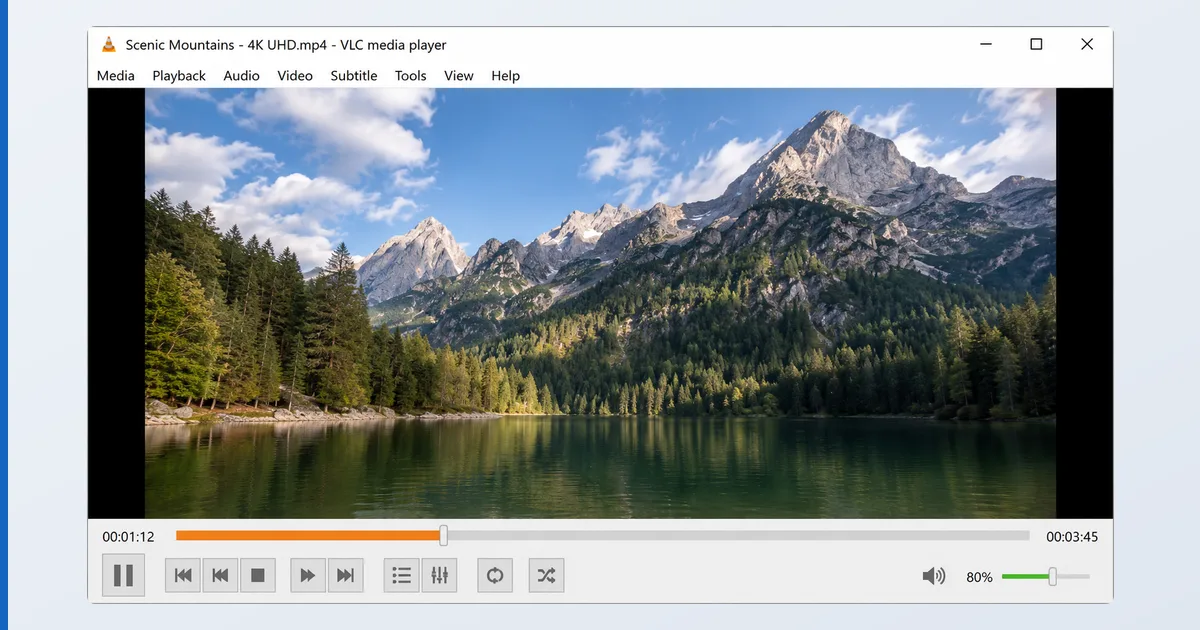
VLC is the best free utility media player in 2026 — an open-source app that plays virtually any file or stream on any device, with unmatched codec and subtitle support. It bundles its own codecs, so it plays what other players can’t, and it’s superb for network streams and difficult files. Its limits are on the TV, where its mouse-first interface makes it a second app rather than your main library or live-TV player. This review covers its real strengths and where it falls short — part of our best IPTV players and streaming apps guide.
What VLC Is
VLC is a free, open-source media player from the non-profit VideoLAN project. It’s not a library manager or a server — it’s the universal “it just plays” utility. Because it bundles its own codecs, it opens almost any file or stream without extra downloads: obscure containers, damaged or partial files, and network sources that defeat other players. It’s on virtually every platform, free of ads and tracking, and is one of the most trusted apps in the world.
Specifications
| Feature | Detail |
|---|---|
| Platforms | Windows, macOS, Linux, Android, iOS, Fire TV, Android TV |
| Formats | Near-universal — bundles its own codecs |
| Streams | M3U, HTTP/RTSP/UDP, DLNA/UPnP, NAS shares |
| Subtitles | External + embedded, sync + styling (excellent) |
| Library | None — it’s a player, not a manager |
| EPG / channel grid | No |
| Price | Free, open-source |
Using VLC
On a computer, VLC is indispensable: drag in any file and it plays, with deep control over subtitles (external SRT/ASS, sync offset, styling), audio tracks, playback speed and filters. In testing it opened high-bitrate 4K, incomplete downloads and unusual codecs that made other players fail — its format and subtitle handling is genuinely best-in-class. It also opens network streams and NAS shares directly, which makes it handy for quickly testing an IPTV stream or a single channel.
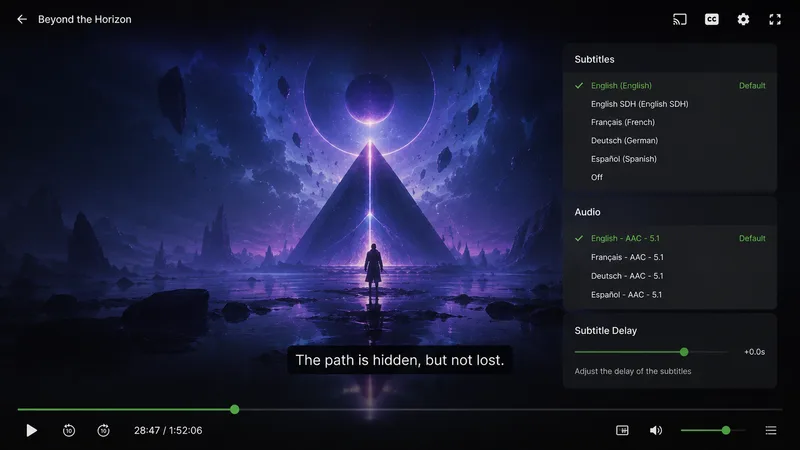
On a Fire TV or Android TV, VLC plays everything just as well, but its interface is built for a mouse or touch, not a remote — browsing a large library or scrubbing is clunky. There’s no EPG or channel grid, so for daily live-TV watching a dedicated player like TiviMate is far better. Think of VLC on a TV as the reliable second app for the file nothing else will play.
✅ Pros
- Plays virtually any file or stream, no extra codecs
- Best-in-class subtitle support and sync control
- Free, open-source, no ads, no tracking
- Opens network streams and NAS shares directly
❌ Cons
- Not a library manager or server
- Remote-unfriendly interface on a TV
- No EPG or channel grid for live TV
- Dated look compared with dedicated media apps
Who It’s For
VLC is for everyone, as a second player — the utility you keep for the file or stream that defeats your main app. It’s ideal on a computer for difficult files, subtitles and network testing. It’s not meant to be your primary TV library or live-TV interface: for that, use a media server or a dedicated IPTV player. Have VLC installed everywhere; just don’t expect it to replace them.
Alternatives
- Plex / Jellyfin — for a managed library streamed across devices.
- TiviMate / OTT Navigator — for daily IPTV live-TV with an EPG.
- Kodi — a full media centre with similar universal playback.
Price
VLC is completely free and open-source, funded by donations — no ads, no tracking, no paid tier, on every platform. There is nothing to unlock and nothing to pay, which, combined with its reliability, is why it’s installed on hundreds of millions of devices worldwide.
Verdict
VLC isn’t trying to be your media centre — it’s the universal player every setup should have alongside one. Nothing beats it for opening a stubborn file, fixing a subtitle sync, or quickly testing a stream, and it’s free and trustworthy on every device. Its weakness is only the living room, where a remote-first app handles daily viewing better. Keep VLC everywhere as your safety net, and pair it with a Plex or Jellyfin library and a TiviMate IPTV player for the day-to-day. Understand formats in our video codecs explainer, see the field in the best IPTV players and streaming apps guide, and look up any term in the streaming glossary.