| # | Product | Rating | Price | |
|---|---|---|---|---|
| 1 | Kodi Media CentreMost Customisable | Free · open-source | Check Price |
Kodi is the most customisable media centre in 2026 — free, open-source software that turns any device into a powerful local media player with skins, add-ons and near-universal format support. It plays your own files and licensed add-ons; it ships with no content of its own. Its power is customisation, and its golden rule is safety: install from the official site and use only official-repo add-ons. This review covers what it does, how it performs, and who it’s for — part of our best IPTV players and streaming apps guide.
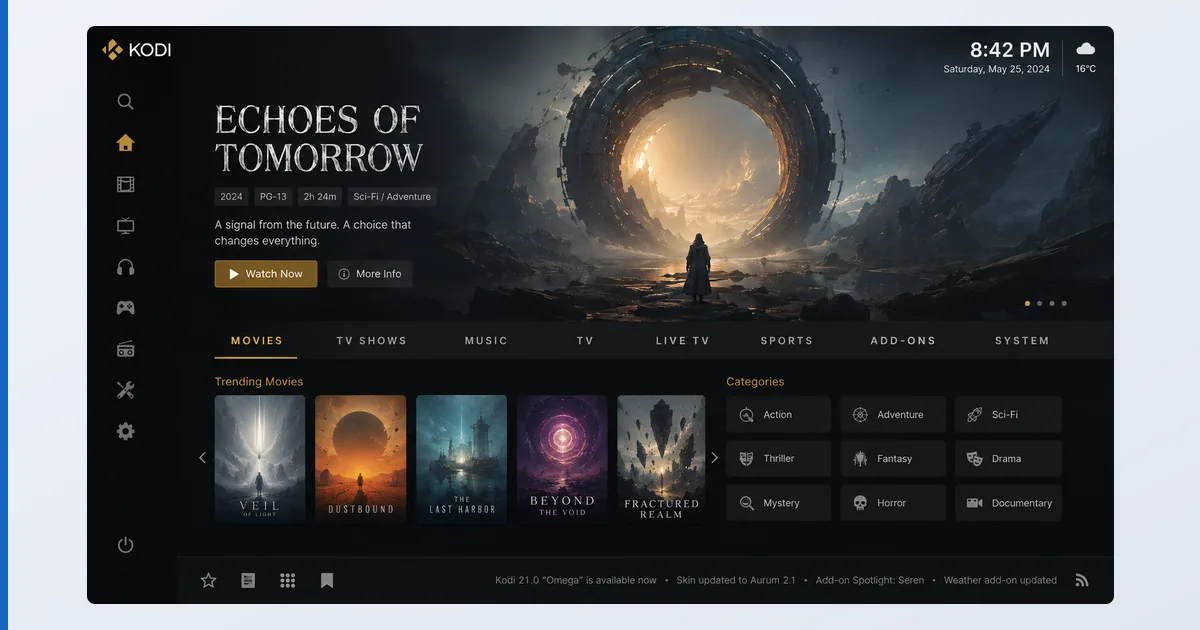
What Kodi Is
Kodi is a free, open-source media centre from the non-profit XBMC Foundation. It runs locally on a device — no account, no server, no cloud — and organises your own films, TV, music and photos into a rich library with artwork, metadata and subtitles. It plays almost every format and codec natively, and can be extended with add-ons and reskinned entirely. Crucially, it comes with no content: it’s a neutral tool, and what you watch is your responsibility.
Specifications
| Feature | Detail |
|---|---|
| Platforms | Android, Fire TV, Windows, macOS, Linux, iOS, Raspberry Pi |
| Your library | Films, TV, music, photos from local or network shares |
| Formats | Near-universal codec and container support |
| Add-ons | Official repository (safe) + third-party (at your own risk) |
| Live TV / DVR | Yes, via a PVR backend + tuner |
| Customisation | Full skinning and configuration |
| Price | Free, open-source |
Using Kodi
Out of the box, Kodi is a complete local media centre: point it at a drive or network share and it builds a polished library. In testing on a Fire TV Stick 4K Max (installed via sideloading where not in the store), it played everything we threw at it — high-bitrate 4K, obscure containers, external subtitle files — where other players stumbled. Format support is its real strength.
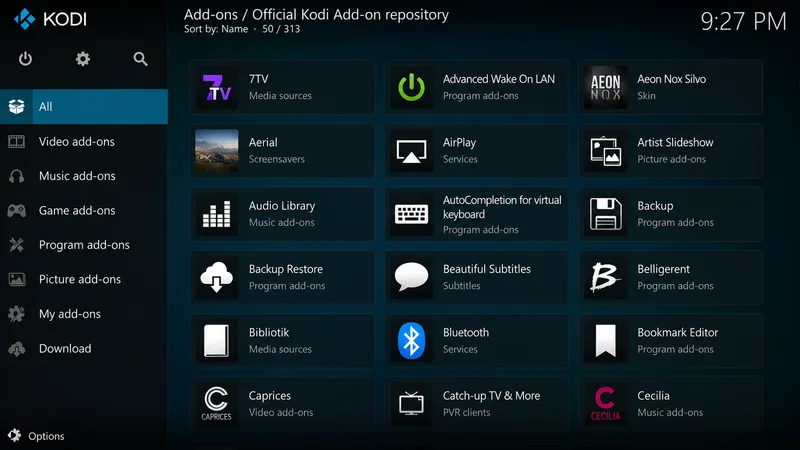
Customisation runs deep: skins transform the interface, and official-repo add-ons add legitimate services, PVR backends and utilities. The trade-off is complexity — Kodi expects more setup than Plex or Emby, and the default skin is dated. Our firm advice on add-ons: install Kodi only from the official site and stick to the official repository; third-party repos are the source of most malware, instability and illegal-stream problems associated with Kodi’s name.
✅ Pros
- Free, open-source, no account or server needed
- Near-universal format and codec support
- Endlessly customisable with skins and official add-ons
- Runs on almost any device, including old hardware
❌ Cons
- Steeper setup than Plex/Emby; dated default skin
- Single-device focus — no easy multi-device sync
- Third-party add-ons carry real security and legal risks
- No bundled content — you supply your own media
Who It’s For
Kodi is for tinkerers who want total control of a media centre on a single TV, value universal format support, and are happy to configure it. It’s ideal for a home-theatre PC or a dedicated box. It’s not the pick if you want effortless multi-device streaming from a central server (choose Plex or Jellyfin), or if you’d be tempted by risky third-party add-ons rather than the official repository.
Alternatives
- Plex / Jellyfin — client-server media servers for easy multi-device streaming.
- VLC — a simpler universal player for single files and network streams.
- TiviMate — a dedicated, polished IPTV player for M3U playlists.
Price
Kodi is completely free and open-source, with no tiers, subscriptions or ads — the whole media centre, every feature, at no cost. The only investment is time: setup and customisation are more hands-on than paid rivals. There is no official paid version, so any site charging for “Kodi” or bundling it with pre-loaded add-ons should be avoided.
Verdict
Kodi remains the most powerful and customisable media centre available, and unbeatable for local playback: it plays anything, runs anywhere, and bends entirely to your setup — all for free. Its costs are complexity and the reputational baggage of third-party add-ons, which you should simply avoid. Used properly — official build, official repo — it’s superb for a single-screen home theatre. For multi-device streaming, a Plex or Jellyfin server fits better. Pick hardware in our best device for IPTV players guide, learn the basics in our sideloading explainer, see the field in the best IPTV players and streaming apps guide, and look up any term in the streaming glossary.