| # | Product | Rating | Price | |
|---|---|---|---|---|
| 1 | KodiBest Single-Device Media Centre | Free · open-source | Check Price | |
| 2 | PlexBest Multi-Device Server | Free · Plex Pass ≈ €5/mo or lifetime | Check Price |
Choose Kodi if you want a deeply customisable media centre on a single TV with no server or account. Choose Plex if you want to stream your library to many devices with minimal setup and polished apps. They’re often compared but solve different problems: Kodi is a self-contained local player, Plex is a client-server system. This guide compares them axis by axis, with a verdict by use case. For the deep dives, see our Kodi review and Plex review.
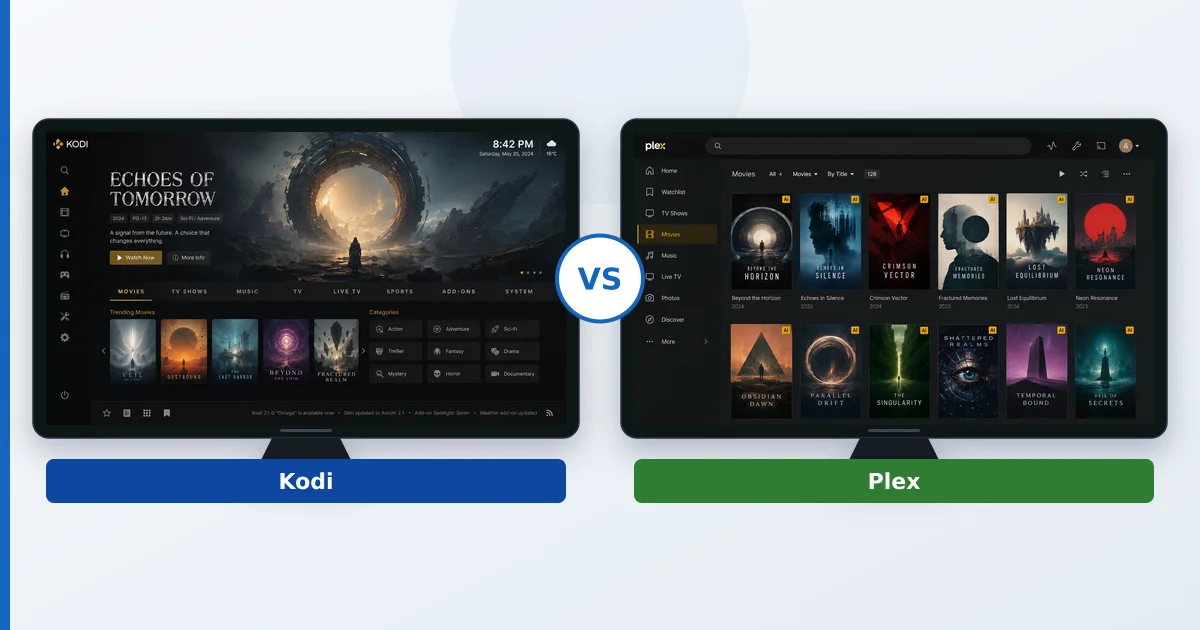
At a Glance
| Axis | Kodi | Plex |
|---|---|---|
| Type | Local media centre (no server) | Client-server media server |
| Setup | More technical, per device | Effortless, central server |
| Multi-device | Manual on each device | Seamless, synced everywhere |
| Customisation | Total (skins, add-ons) | Limited, but polished |
| Performance on weak hardware | Excellent (local playback) | Depends on transcoding |
| Price | Free, open-source | Free · Plex Pass ≈ €5/mo or lifetime |
| Privacy | Fully local, no account | Account + cloud functions |
Type and Setup
This is the core difference. Kodi installs on one device and runs everything locally — no server, no account. Plex splits into a server (holding your library) and apps that stream from it. Kodi asks more setup per device but is self-contained; Plex is effortless once the server is running and then just works on every client.
Multi-Device Streaming
Plex wins decisively. One server streams your library, metadata and watch progress to every TV, phone and tablet, synced automatically — ideal for multiple rooms. Kodi can run on each device, but keeping libraries and playback state in sync across them is far more work. For a multi-room household, Plex is the obvious pick.
Customisation
Kodi wins. Skins reshape the entire interface, and official-repo add-ons extend it endlessly — it’s the most customisable media software there is. Plex offers a polished but comparatively fixed experience. If you want to craft a bespoke home-theatre interface, Kodi is unmatched; if you want it to look great with zero effort, Plex.
Performance on Weak Hardware
Kodi wins for local playback. Because it plays files directly on the device with near-universal codec support, it runs beautifully even on old or low-powered hardware. Plex playback is light when direct, but on-the-fly transcoding is CPU-heavy and hardware acceleration needs Plex Pass. For an ageing TV box playing local files, Kodi is lighter.
Price and Privacy
Both have free core software. Kodi is entirely free and open-source, runs locally with no account or cloud — the more private option. Plex is free for core use but paywalls power features behind Plex Pass, and requires a Plex account with some cloud functions. For cost and privacy, Kodi leads; for convenience, Plex.
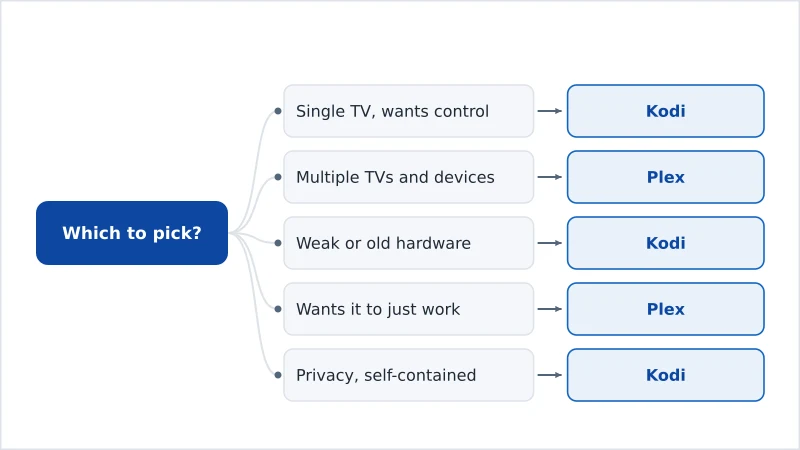
The Verdict by Use Case
- Single home-theatre TV, wants control: Kodi — total customisation, local playback.
- Multiple TVs and devices: Plex — one server, synced everywhere.
- Weak or old hardware playing local files: Kodi — light and format-agnostic.
- Family who wants it to “just work”: Plex — effortless, polished apps.
- Privacy-focused, self-contained: Kodi (or open-source Jellyfin).
You can even combine them — a Plex add-on lets Kodi play a Plex library. Pick hardware in our best device for Plex guide and best device for IPTV players guide, and read the media server explainer. See the full Kodi review and Plex review, compare servers in Plex vs Jellyfin, browse the field in the best IPTV players and streaming apps guide, and look up any term in the streaming glossary.