| # | Product | Rating | Price | |
|---|---|---|---|---|
| 1 | PlexEasiest & Most Polished | Free · Plex Pass ≈ €5/mo or lifetime | Check Price | |
| 2 | JellyfinFree, Open & Private | Free · open-source | Check Price |
Choose Plex if you want the easiest setup, the most polished apps and don’t mind an account or paying for Plex Pass. Choose Jellyfin if you want a completely free, open-source and private server with free hardware transcoding — and can handle a bit more setup. Both stream your own media library to nearly any device; they differ on polish, price and privacy. This guide compares them axis by axis, with a verdict by use case. For the deep dives, see our Plex review and Jellyfin review.
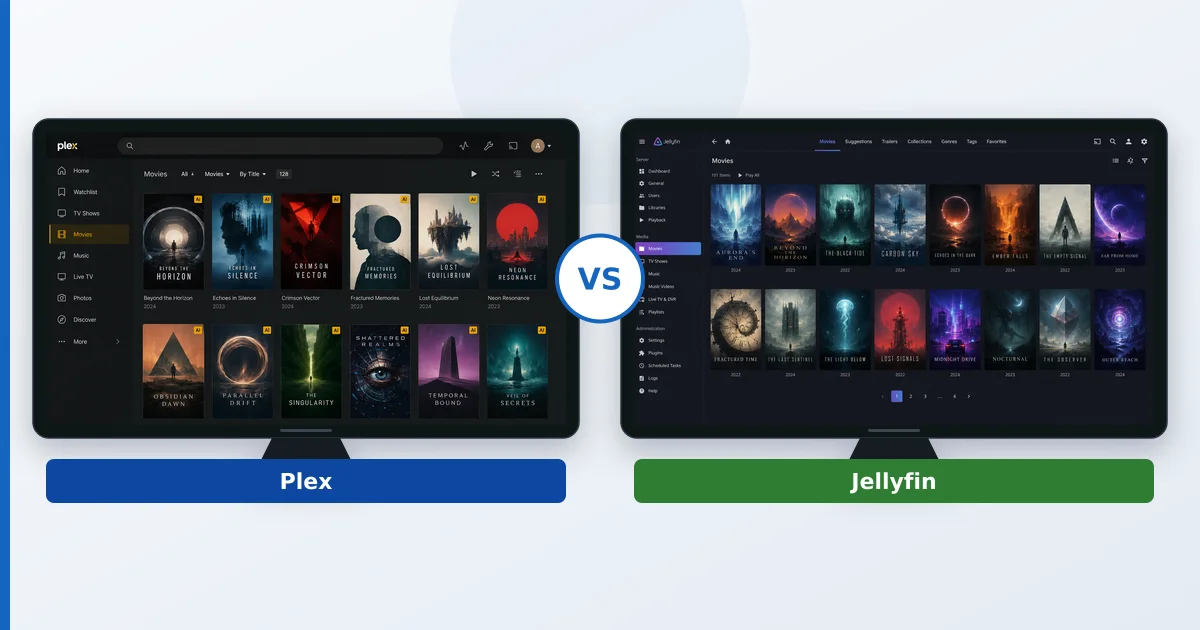
At a Glance
| Axis | Plex | Jellyfin |
|---|---|---|
| Ease of setup | Effortless | More technical |
| TV apps | Polished, on everything | Functional; some third-party |
| Transcoding | Software free; hardware needs Plex Pass | Software + hardware, both free |
| Price | Free · Plex Pass ≈ €5/mo or lifetime | Free, open-source |
| Privacy / hosting | Account + some cloud | Fully self-hosted, no account |
| Free extras | Ad-supported movies + live TV | None bundled |
| Community / support | Large, commercial backing | Large, open-source community |
Ease of Setup
Plex wins. Install, sign in, add folders, and your library appears with artwork in minutes, with remote access working automatically. Jellyfin installs just as easily but needs more manual work for metadata, remote access and hardware transcoding. For a beginner, Plex is the smoother path; for a tinkerer, Jellyfin’s extra steps are manageable.
Transcoding and Performance
This is Jellyfin’s headline advantage: hardware-accelerated transcoding is free, whereas Plex locks it behind Plex Pass. Both handle direct play identically (light on the server); the difference shows when files must be converted on the fly. On a capable server, Jellyfin’s free hardware transcoding matches Plex’s paid feature. Store device-friendly formats and both stay on direct play regardless.
TV Apps and Devices
Plex wins on breadth and polish — consistent, refined apps on Fire TV, Apple TV, smart TVs, consoles and mobile. Jellyfin has official apps on the major platforms plus community clients (Findroid, Swiftfin), but quality is less uniform and some platforms lean on third-party apps. If app experience across many screens matters most, Plex leads.
Price
Jellyfin is free, forever, with no paywall. Plex is free for core use, but hardware transcoding, mobile downloads and DVR need Plex Pass (≈ €5/month or a one-off lifetime licence). Plex also bundles free ad-supported movies and live TV that Jellyfin doesn’t. If cost is the priority, Jellyfin wins outright.
Privacy and Self-Hosting
Jellyfin wins. It’s fully self-hosted with no company account, no cloud sign-in and no telemetry. Plex requires a Plex account and routes some functions through its cloud. For users who want nothing leaving their own network, Jellyfin is the clear choice.
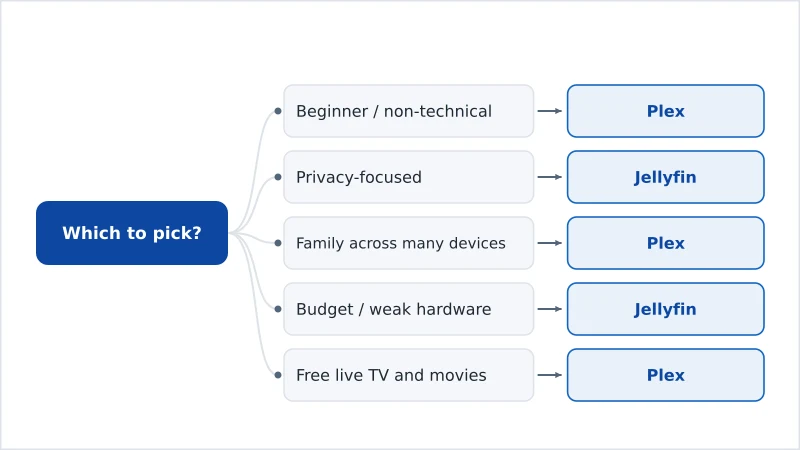
The Verdict by Use Case
- Beginner / non-technical: Plex — effortless setup and the best apps.
- Privacy-focused: Jellyfin — self-hosted, no account, no telemetry.
- Family across many devices: Plex — polished apps everywhere and easy sharing.
- Budget / weak-hardware transcoding: Jellyfin — free hardware transcoding, no paywall.
- Wants free live TV and movies too: Plex — bundled FAST channels and films.
Both run on the same hardware — see our best device for Plex guide (it applies to Jellyfin too) and understand the tech in our media server and transcoding explainers. Read the full Plex review and Jellyfin review, compare the wider field in the best IPTV players and streaming apps guide, and look up any term in the streaming glossary.