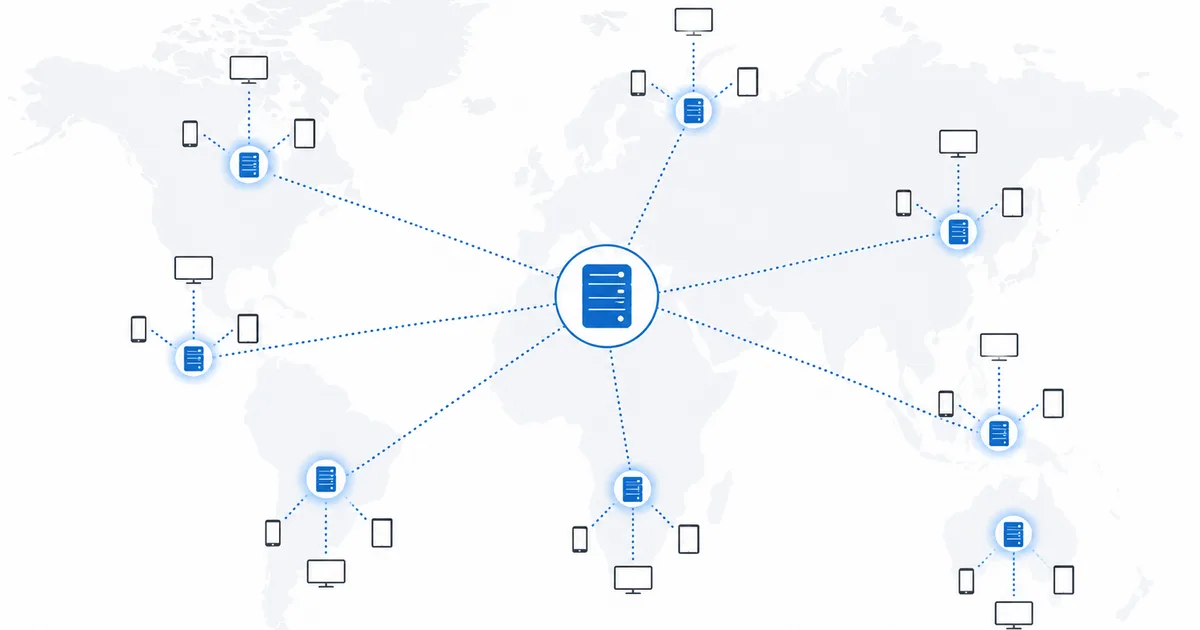
A CDN (Content Delivery Network) is a worldwide system of servers that store copies of video close to viewers, so streams start quickly and buffer less. Rather than every stream travelling from one distant origin server, your device pulls it from a nearby CDN node. This invisible layer is a big reason the same service can feel fast for one person and sluggish for another. This guide explains how CDNs work and how they shape your streaming.
What a CDN Is
Every streaming service stores its master content on origin servers. If your device fetched video straight from there, it would travel long distances, add latency, and overload a single point when millions watch at once.
A CDN solves this by placing caching servers (nodes), sometimes called edge servers or points of presence, all over the world. Popular content is copied to these nodes, so your device connects to one near you instead of the distant origin. It is the delivery layer beneath the streaming pipeline.
How a CDN Works
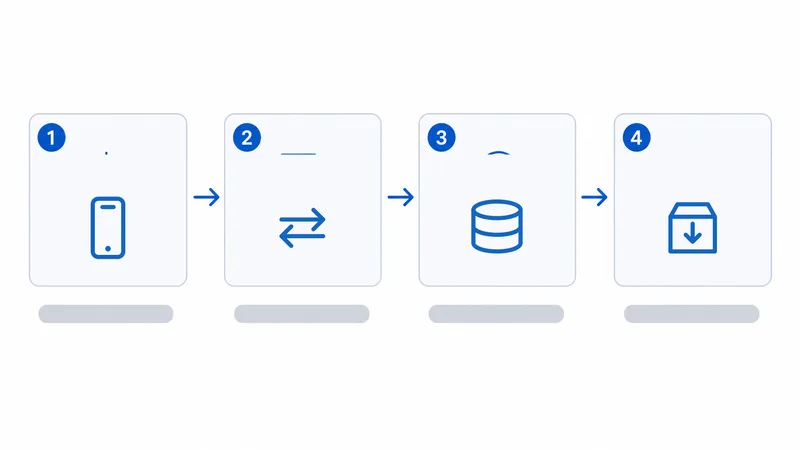
When you press play, this happens in the background:
- Request routing. The service directs your device to the best CDN node for your location and network.
- Cache check. If the node already has the video cached, it serves it immediately (a “cache hit”).
- Cache fill. If not (a “cache miss”), the node fetches it from the origin once, then caches it for the next viewer.
- Segment delivery. The node streams the video’s chunks to your player over standard HTTP.
Because the data travels a short distance from a nearby node, playback starts quickly and holds a steadier bitrate.
Why It Affects Your Streaming
The CDN decides how far your video travels and how reliably it arrives. Three things follow from that:
| CDN factor | Good case | Bad case |
|---|---|---|
| Node distance | Node in your city/country | Nearest node far away |
| Cache status | Content already cached (hit) | Cold cache, fetched from origin (miss) |
| Node/peering load | Well-provisioned, good ISP peering | Congested node or poor ISP route |
This is why the same app and plan can stream flawlessly for one person and buffer for another: they are being served by different nodes over different network paths. Your connection speed is only half the story — the route to the CDN is the other half.
What You Can Control
You cannot choose a CDN — the service assigns it. But you can improve your side of the path:
- Use a stable, ideally wired connection so you can actually use the node’s speed — see Wi-Fi vs Ethernet.
- Set a fast, reliable DNS, which affects how quickly you are routed to a node — see the DNS for streaming guide.
- Keep your router healthy with the right settings.
- Check for throttling if only streaming is slow — your ISP’s route to the CDN may be the issue; see ISP throttling.
CDN vs VPN
They are often confused but do opposite jobs:
- A CDN speeds up delivery by caching content close to you. It is run by services, invisible to you, and always working to reduce distance.
- A VPN reroutes and encrypts your traffic through a server elsewhere, for privacy or to change your apparent location.
A VPN can even change which CDN node serves you, since the CDN sees the VPN server’s location. That may help or hurt speed — if streaming slows on a VPN, pick a server closer to home.
The Bottom Line
A CDN is the hidden delivery network that keeps copies of video close to you, so streams start fast and buffer less. It largely explains why streaming quality varies between people on the same service — different nodes, caches and network routes. You cannot pick the CDN, but a stable connection, a fast DNS and a healthy router help you reach the best node your ISP can offer.
Next, see the bigger picture in how streaming actually works, and speed up routing with the DNS for streaming guide.
Not sure about a term on this page? Look it up in the streaming glossary.