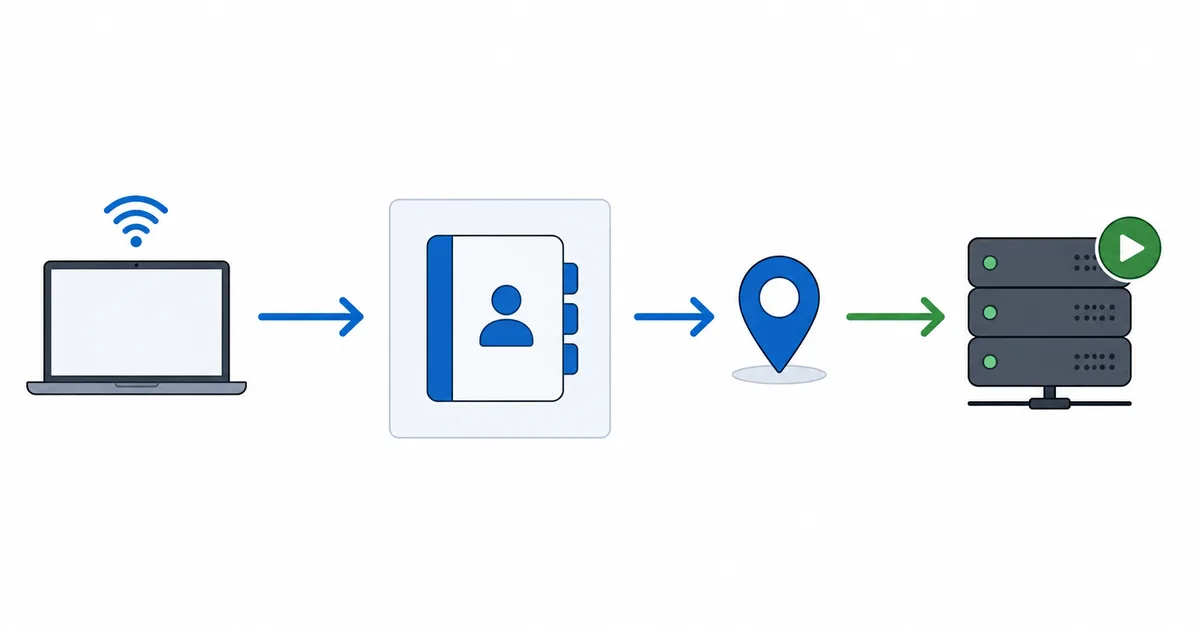
DNS (Domain Name System) is the internet’s address book: it turns names like example.com into the numeric IP addresses your device connects to. It does not change your bandwidth, but it decides how quickly connections start — so a slow DNS makes apps and streams sluggish to begin, while a fast one makes them feel snappier. This guide explains how DNS affects streaming, whether to change it, and the trade-offs to know.
What DNS Is
Computers connect using IP addresses (numbers), but people use names (like a service’s website). DNS bridges the two. When you open a streaming app, your device asks a DNS resolver to look up the addresses of the servers it needs — including the CDN nodes that deliver your video.
By default you use your ISP’s resolver. It works, but it is not always the fastest, and some are slow or occasionally unreliable — which you feel as apps that take a moment to “wake up.”
How DNS Affects Streaming
DNS is about start-up latency, not bandwidth. Here is the distinction that matters:
- What DNS changes: how fast lookups resolve, so how quickly an app opens, a title loads, or a stream connects.
- What DNS does not change: your download speed or the bitrate a stream can sustain.
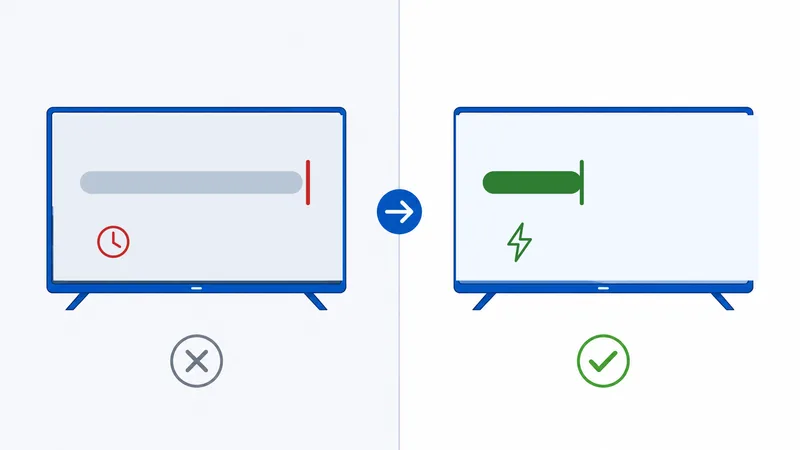
A single page or app may trigger many lookups. A slow resolver adds a small delay to each, which stacks up into noticeably sluggish starts. A fast, nearby resolver trims that — the stream itself then depends on your connection and the CDN.
Reality check: if your video buffers mid-stream, DNS is not the cause — look at your connection, router or ISP route instead. DNS only affects the beginning of connections.
Popular Fast DNS Resolvers
These public resolvers are widely used, free, and often faster than a default ISP resolver:
| Resolver | Primary IP | Notable feature |
|---|---|---|
| Cloudflare | 1.1.1.1 | Focus on speed and privacy |
| Google Public DNS | 8.8.8.8 | Reliable, global |
| Quad9 | 9.9.9.9 | Blocks known malicious domains |
The best choice is the fastest from your location, which varies by ISP and region. Prefer resolvers that support encrypted DNS (DoH/DoT) so your lookups are private.
How to Change Your DNS
You can set DNS in one of three places — the router is usually best, as it covers every device:
- On the router (recommended). Enter the new primary and secondary DNS in the router’s WAN/internet settings; every device inherits it. See our router settings guide.
- On the device. Most phones, TVs and streaming boxes let you set a custom DNS in network settings.
- Test first. Note your current resolver, set the new one, and confirm streaming and browsing still work; revert if anything misbehaves.
Smart DNS and Unblocking
You may see “Smart DNS” services that promise to unblock regional catalogues. Be cautious:
- They can change which region a service thinks you are in, but major platforms detect and block this, so it is unreliable.
- Smart DNS does not encrypt your traffic, unlike a VPN.
- Within the EU, portability rules already let your subscriptions travel with you when you’re away from home.
For robust privacy and more consistent region handling, a VPN is the better tool — see how the two differ in our CDN explainer.
The Bottom Line
DNS is the address book that turns names into IP addresses, and it shapes how quickly your streams start — not how fast they run. Switching from a slow ISP resolver to a fast public one like Cloudflare, Google or Quad9 can make apps and streams feel snappier, ideally with encrypted DNS for privacy. Just remember DNS won’t fix mid-stream buffering, and Smart DNS is an unreliable way to change regions.
Next, tune the rest of your network with our router settings guide, and learn what really moves your video in what a CDN is.
Not sure about a term on this page? Look it up in the streaming glossary.