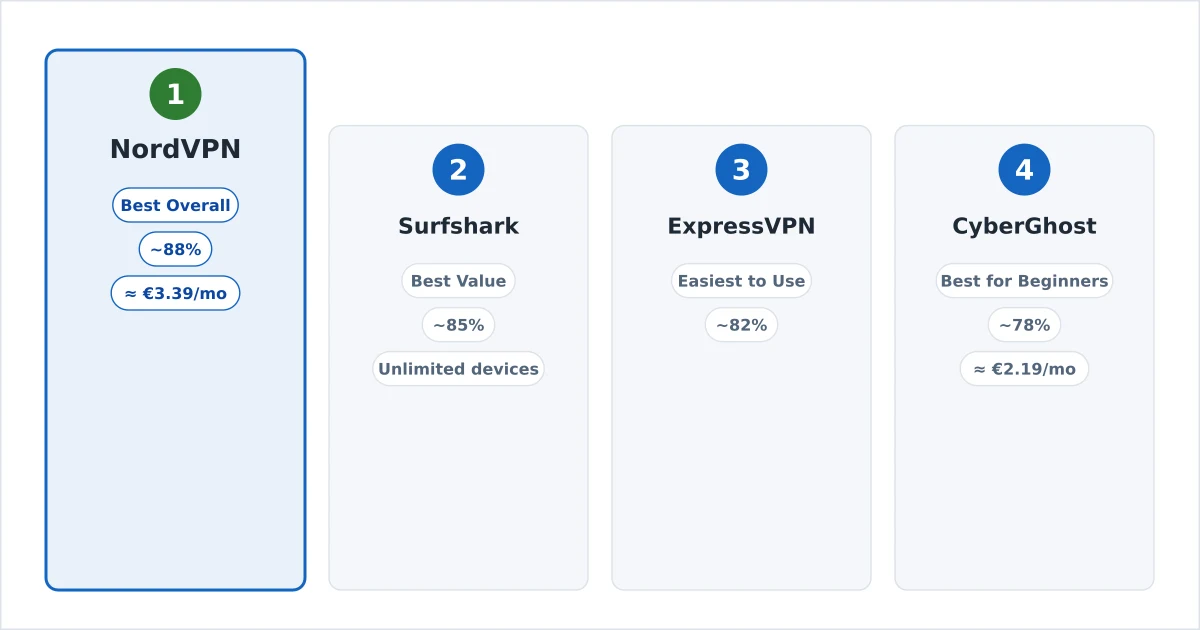
| # | Product | Rating | Price | |
|---|---|---|---|---|
| 1 | NordVPNBest Overall | from ~€3.39/mo | Check Price | |
| 2 | SurfsharkBest Value | from ~€2.19/mo | Check Price | |
| 3 | ExpressVPNEasiest Apps | from ~€6.25/mo | Check Price | |
| 4 | CyberGhostBest for Beginners | from ~€2.19/mo | Check Price |
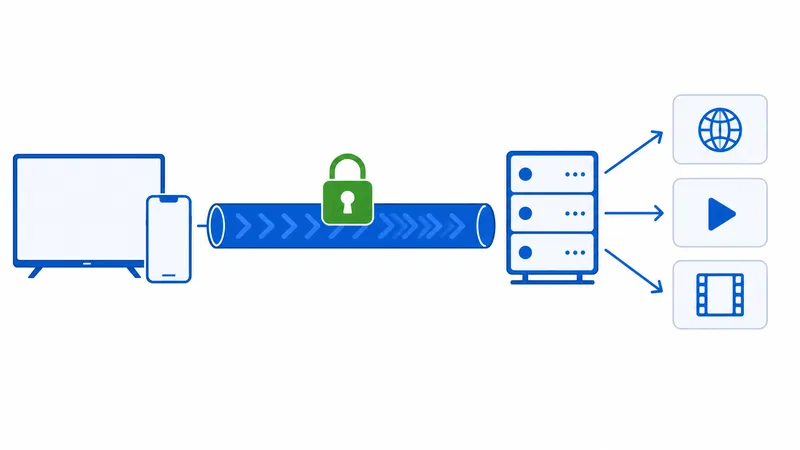
Streaming in Europe increasingly happens away from your own sofa — in hotels, on trains, on café Wi-Fi where every other device on the network can see your traffic. A VPN encrypts that connection, so using your home subscriptions while travelling inside the EU stays private. It also stops some ISPs from throttling video at peak hours. We tested four providers on European lines over four weeks, judging them on speed, EU server coverage, TV apps and logging policy.
How We Tested
Full methodology on our How We Test page. For this guide, four things mattered:
- Speed: average of 9 tests per provider (3 servers × 3 times of day) on the same 300 Mbps European fibre line, using WireGuard-class protocols where available. We report retained speed, not raw numbers.
- European servers: how many nearby exit points each provider offers, since latency to the server is what turns into buffering on a busy evening.
- Supported devices: native apps on Fire TV, Android/Google TV and Apple TV, tested on the same hardware as our best streaming devices guide — plus router support and the simultaneous-connection limit.
- Logging policy: what the provider records, which jurisdiction it answers to, and whether an independent audit backs the claim up.
Prices are the typical long-plan introductory rate and move constantly — check current offers via the buttons.
| VPN | Best for | Devices | Price from | Rating |
|---|---|---|---|---|
| 1. NordVPN | Best Overall | 10 | from ~€3.39/mo | 4.8/5 |
| 2. Surfshark | Best Value | Unlimited | from ~€2.19/mo | 4.6/5 |
| 3. ExpressVPN | Easiest Apps | 8 | from ~€6.25/mo | 4.5/5 |
| 4. CyberGhost | Best for Beginners | 7 | from ~€2.19/mo | 4.3/5 |
1. NordVPN — Best Overall
NordVPN was the most consistent performer in our tests: fast, stable, and boring in the best possible way. Its NordLynx protocol held around 88% of our base speed on nearby European servers, and across six hours of TV playback we logged no dropouts. It is not the cheapest option here and the renewal price is a genuine sting, but nothing else matched it on raw reliability.
Key specs:
- 7,000+ servers in 110+ countries, with dense European coverage
- NordLynx (WireGuard-based) protocol
- 10 simultaneous devices
- Apps: Fire TV, Android TV, Apple TV, plus router support
- Independently audited no-logs policy (Panama jurisdiction)
- Price: from ~€3.39/mo on the long plan
The Fire TV app is the best of the four — server switching with a TV remote is genuinely quick, and the “recommended server” button picks a sensible nearby exit without you scrolling a country list. Threat Protection (tracker and malicious-domain blocking) is included rather than an upsell.
✅ Pros
- Fastest average speeds in our European tests (~88% retained)
- No playback dropouts across six hours of TV testing
- Best TV remote experience of the four apps
- Independently audited no-logs policy
- Tracker blocking included at no extra cost
❌ Cons
- Renewal price roughly doubles after the intro term
- 10-device cap is tight for a large household
- The cheapest tier drops the password manager and extra storage
2. Surfshark — Best Value
Surfshark undercuts every big name here and puts no limit on simultaneous devices — one subscription covers every TV, phone, tablet and laptop in the house, plus the in-laws if you are feeling generous. Speeds landed a little behind NordVPN at roughly 85% retained, which is not a difference you notice on a 4K stream.
Key specs:
- 3,200+ servers in 100 countries
- WireGuard protocol; ~85% speed retained in our tests
- Unlimited simultaneous devices
- Apps: Fire TV, Android TV, Apple TV
- Netherlands jurisdiction, audited infrastructure
- Price: from ~€2.19/mo on the long plan
The trade-off is polish. Server switching on the TV apps takes a couple more button presses than NordVPN’s, and the network is smaller, so at peak times you have fewer nearby alternatives if your usual server is congested. For a family covering five or six screens on a budget, none of that outweighs the price.
✅ Pros
- Cheapest top-tier option here (from ~€2.19/mo)
- Unlimited devices — one plan genuinely covers the household
- Strong speeds (~85% retained) on WireGuard
- Clean Fire TV, Android TV and Apple TV apps
❌ Cons
- Smaller server network means fewer nearby options at peak times
- TV app navigation is a step clunkier than NordVPN's
- Renewal pricing jumps sharply after the intro term
3. ExpressVPN — Easiest Apps
ExpressVPN is the “it just works” option. Its Lightway Turbo protocol connected faster than anything else we tested — usually inside a second — and every app, on every platform, does the same thing: one big button, one server picker, no menus to learn. If you are setting a VPN up for someone else, this is the one that generates the fewest phone calls.
Key specs:
- Servers in 105 countries
- Lightway Turbo protocol; ~82% speed retained
- 8 simultaneous devices
- Apps: Fire TV, Android TV, Apple TV, plus the Aircove Wi-Fi router
- Independently audited no-logs policy (BVI jurisdiction)
- Price: from ~€6.25/mo on the long plan
It is also comfortably the most expensive VPN in this guide — roughly triple Surfshark — and in Europe it now sits behind both leaders on speed. You are paying for the interface and the support, which is a defensible trade for some readers and an obvious no for others. The Aircove router (sold separately) remains the least painful way to put an older smart TV behind a VPN.
✅ Pros
- Most polished, beginner-proof apps on every platform
- Near-instant connections with Lightway Turbo
- Aircove router covers devices that can't run a VPN app
- Long-standing audited no-logs record
❌ Cons
- By far the priciest option here (from ~€6.25/mo)
- Slower than NordVPN and Surfshark in our EU tests (~82%)
- 8-device limit is the second-tightest in this guide
4. CyberGhost — Best for Beginners
CyberGhost’s useful trick for this guide is its streaming-optimised server list: instead of a wall of country names, the app offers servers already tuned and labelled for specific platforms, so a newcomer picks one from a list rather than guessing. Combined with the largest network here and a 45-day refund window, it is the lowest-risk way to find out whether you want a VPN at all.
Key specs:
- 11,000+ servers in 100 countries — the largest network in this guide
- WireGuard protocol; ~78% speed retained
- 7 simultaneous devices
- Apps: Fire TV, Android TV (no native Apple TV app)
- Romania jurisdiction, 45-day money-back guarantee
- Price: from ~€2.19/mo on the long plan
Speed is where it pays for that simplicity: ~78% retained was the lowest of the four, which is still fine for 4K on a fast line but leaves less margin on a slower one. The streaming-labelled servers also needed a manual switch to a different one now and then during our four weeks.
✅ Pros
- Labelled, purpose-tuned servers remove the guesswork for newcomers
- Largest European server network here (11,000+)
- 45-day money-back guarantee — the longest of the four
- Same low intro pricing as Surfshark
❌ Cons
- Slowest of the four in our tests (~78% retained)
- No native Apple TV app — router setup required there
- Labelled servers occasionally need a manual switch
Which Should You Choose?
If you want the safest default and don’t want to think about it again, take NordVPN — it was fastest, most reliable, and has the best TV apps. If you are covering a whole household or the price difference matters more than the last few percent of speed, Surfshark is the obvious value pick thanks to unlimited devices. Buy ExpressVPN when someone non-technical has to use it daily, or when you want the Aircove router to cover devices that can’t run a VPN app themselves. Choose CyberGhost if this is your first VPN and you want labelled servers plus 45 days to change your mind.
Whichever you pick, two habits save money: buy inside the refund window and actually test it on your own connection first, and put a calendar reminder a week before renewal — every provider here charges substantially more in year two than year one.