| # | Product | Rating | Price | |
|---|---|---|---|---|
| 1 | StremioBest Media Hub | Free · optional Stremio account | Check Price |
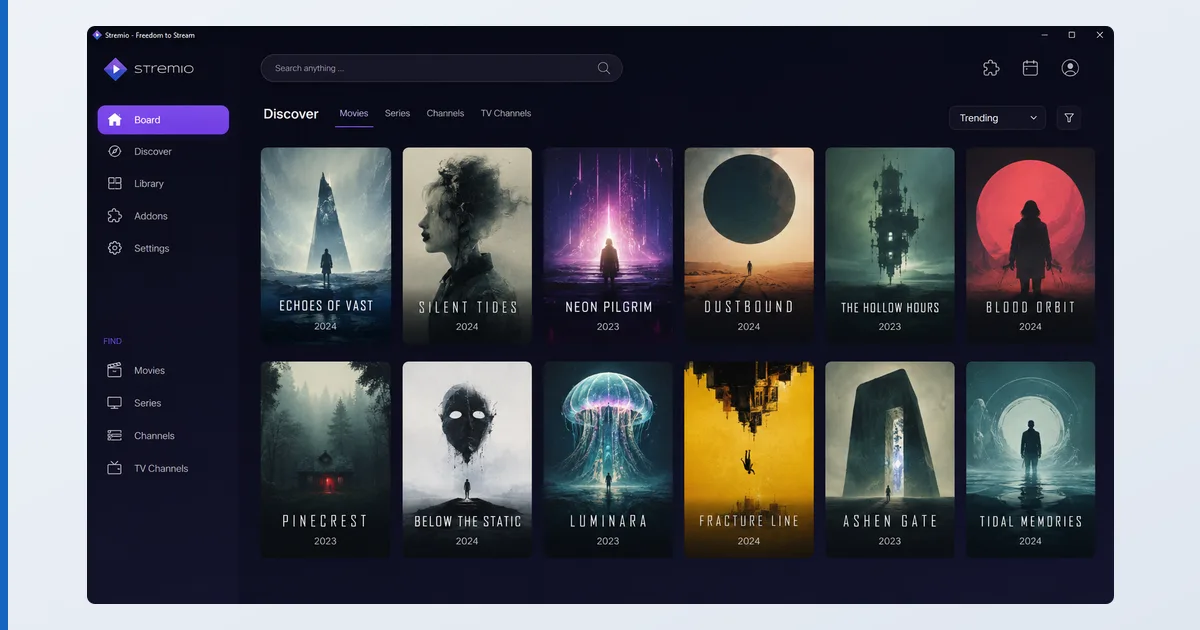
Stremio is a free media-hub app that unifies content discovery, your own library and add-on sources into one clean, Netflix-style interface. It’s a platform for add-ons: official and licensed ones connect to legitimate catalogues and your media, with rich metadata, progress tracking and Trakt sync. As with any player, the app is neutral — what you watch through it is your responsibility, so stick to official and licensed add-ons. This review covers what it does and who it’s for — part of our best IPTV players and streaming apps guide.
What Stremio Is
Stremio is a media-hub app — a single interface for discovering, organising and playing content from multiple sources. Its core idea is add-ons: modular plug-ins that bring in catalogues, metadata, subtitles and your own media. It ships with a polished discovery board (trailers, ratings, recommendations), a synced watchlist, and progress tracking across devices. Like any player, it’s a neutral platform: the official and licensed add-ons are legitimate, and responsibility for what you access lies with you.
Specifications
| Feature | Detail |
|---|---|
| Platforms | Windows, macOS, Linux, Android, Android TV, web (Fire TV via sideload) |
| Core | Discovery board, watchlist, progress tracking |
| Add-ons | Official/licensed catalogues, subtitles, your own media |
| Sync | Free optional account across devices |
| Integrations | Trakt, subtitle providers |
| Library | Light — hub-focused, not a full server |
| Price | Free |
Using Stremio
The discovery experience is Stremio’s highlight: browsing films and series feels like a premium streaming app, with trailers, cast, ratings and smart recommendations pulled together cleanly. A free account syncs your watchlist and progress across devices, and Trakt integration keeps your history consistent with the wider ecosystem. Subtitle add-ons fetch tracks automatically, which works well.
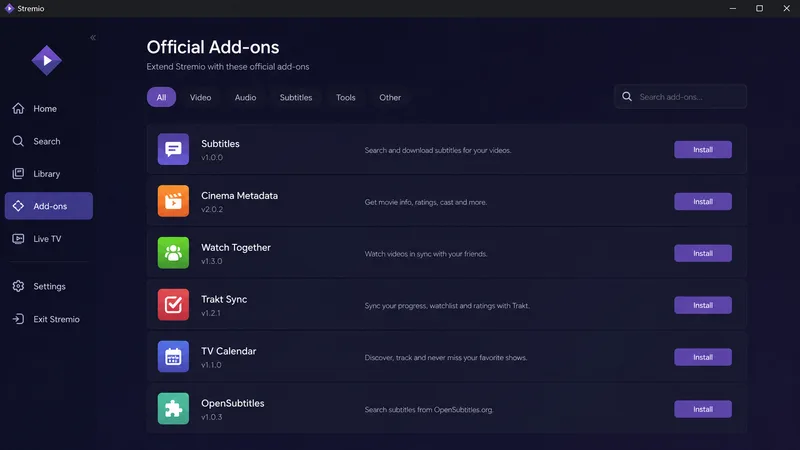
Playback quality depends on the add-ons you install — and this is where judgement matters. Stick to the official add-on catalogue and licensed sources; unofficial add-ons that scrape pirated streams are where the legal and security risks lie, and they’re not something we recommend. On Android TV the app is solid; on Fire TV it needs sideloading, and TV/Apple coverage is patchier than desktop.
✅ Pros
- Excellent, Netflix-style discovery interface
- Free, with cross-device library sync
- Trakt and subtitle integrations work well
- Extensible via official add-ons
❌ Cons
- Usefulness depends on which add-ons you install
- Unofficial add-ons carry legal and security risks
- Light local-library features vs a real server
- TV and Apple support less uniform than desktop
Who It’s For
Stremio is for viewers who want a single, polished hub for discovery and playback across legitimate sources and their own media, with cross-device sync. It’s ideal on desktop and Android for browsing and organising what to watch. It’s not the pick if you want a robust media server for your own file library (choose Plex or Jellyfin), a dedicated live-TV IPTV player (TiviMate), or if you’d be tempted toward unofficial add-ons rather than licensed ones.
Alternatives
- Plex / Jellyfin — proper media servers for your own library.
- Kodi — a more customisable add-on-based media centre.
- TiviMate / OTT Navigator — dedicated IPTV players for live channels.
Price
Stremio is free, including the optional account that syncs your library across devices — there’s no paid tier for the app itself. Some official add-ons connect to third-party services you may separately subscribe to, but Stremio charges nothing. As always, avoid anywhere selling “loaded” Stremio setups bundled with unofficial add-ons.
Verdict
Stremio is a genuinely good discovery-and-playback hub: the interface is a pleasure, sync and Trakt integration are handy, and it’s free. Its value, though, is only as legitimate as the add-ons you choose — so treat it as a neutral platform and stick to official, licensed sources. For your own file library it’s no substitute for a Plex or Jellyfin server, and for live TV a dedicated IPTV player is better. Used sensibly, it’s a slick front end worth having. Pick hardware in our best device for IPTV players guide, learn the basics in our sideloading explainer, see the field in the best IPTV players and streaming apps guide, and look up any term in the streaming glossary.