Streaming audio ranges from basic stereo up to Dolby Atmos, an object-based format that places sound in three dimensions — including above you. Between those extremes sit channel-based surround formats like Dolby Digital, Dolby Digital Plus and DTS. Which one you actually hear depends on the service, your plan, the title, and the gear in your living room. This guide explains each format, how they differ, and what you need to enjoy them.
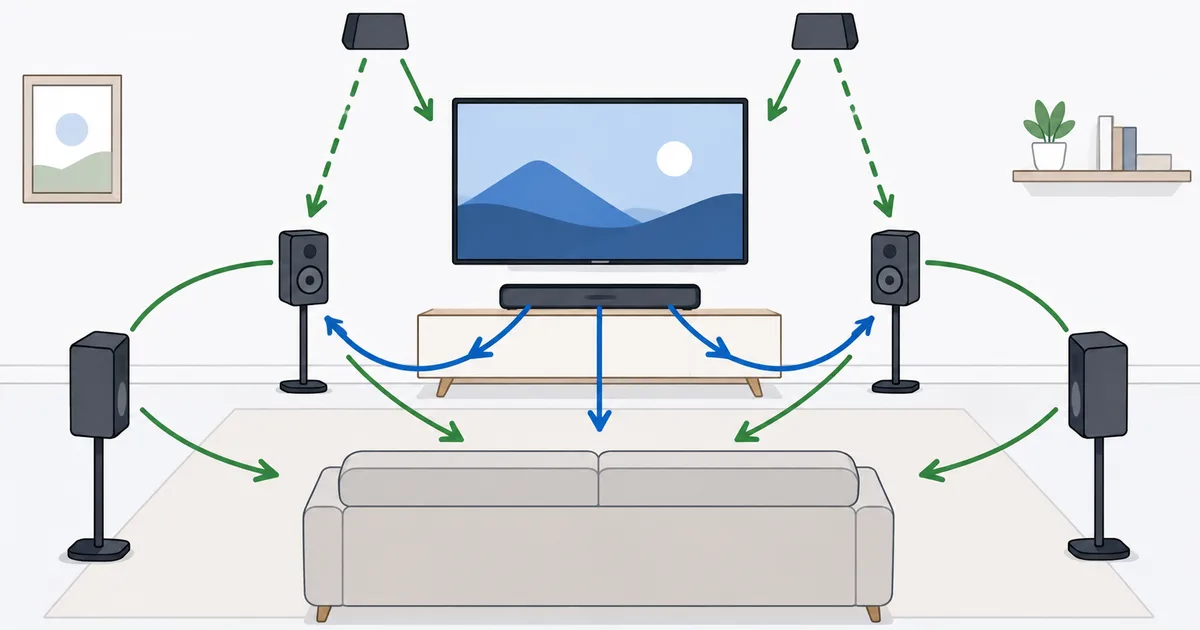
Channels vs Objects
The big divide in audio is between channel-based and object-based sound.
- Channel-based formats send audio to fixed speakers: stereo (2.0), 5.1 or 7.1 surround. Each channel is tied to a position — front left, centre, rear right, and so on.
- Object-based formats (Dolby Atmos, DTS:X) treat each sound as an object with a position in 3D space. Your system then renders those objects to whatever speakers you have, adding a height dimension.
Object-based audio is more flexible and immersive because it adapts to your room, rather than assuming a fixed speaker layout.
The Audio Formats Explained
- Stereo (AAC/PCM) — two channels, the universal baseline. Every device and title supports it.
- Dolby Digital (AC-3) — classic 5.1 surround, long used by broadcast and discs.
- Dolby Digital Plus (E-AC-3) — a more efficient successor, the workhorse of streaming surround, and the carrier for Atmos.
- Dolby Atmos — object-based, adds height; delivered on top of Dolby Digital Plus for streaming.
- DTS / DTS:X — a rival family, common on Blu-ray and some apps; DTS:X is the object-based, Atmos-equivalent version.
Good to know: Atmos for streaming rides "inside" Dolby Digital Plus. Gear that cannot decode Atmos still plays the underlying 5.1 or stereo, so you always get sound — just not the height effect.
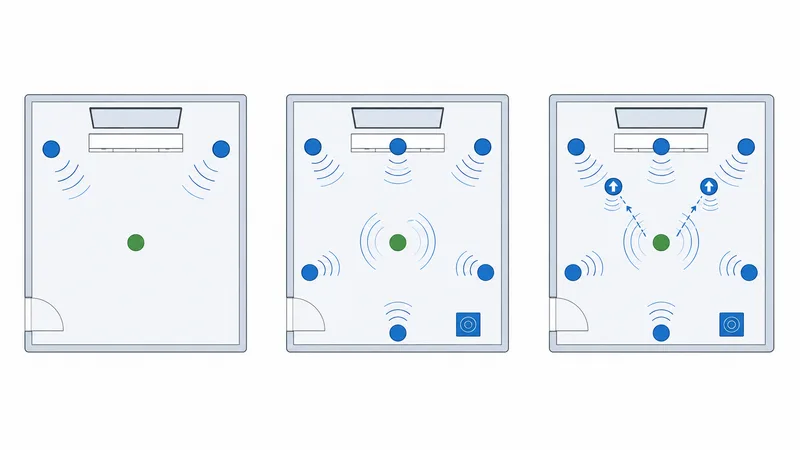
Format Comparison Table
| Format | Type | Channels | Where it’s used |
|---|---|---|---|
| Stereo (AAC) | Channel | 2.0 | Everywhere, baseline |
| Dolby Digital | Channel | 5.1 | Broadcast, discs, older streams |
| Dolby Digital Plus | Channel | 5.1 / 7.1 | Streaming surround standard |
| Dolby Atmos | Object | 5.1/7.1 + height | Premium streaming tiers and titles |
| DTS:X | Object | Surround + height | Blu-ray, some apps |
The practical hierarchy for streaming is simple: stereo → Dolby Digital Plus 5.1 → Dolby Atmos, with the format you get set by your plan, the title and your equipment.
What You Need for Atmos
Dolby Atmos needs an unbroken chain, much like HDR does for picture:
- A service and plan that offer Atmos (often the premium tier).
- An Atmos title — not everything is mixed in Atmos.
- A device that outputs Atmos — see our best streaming devices guide.
- A sound system that decodes it: an Atmos soundbar, AV receiver with height/ceiling speakers, or Atmos-capable TV. Headphones work too via virtualisation.
- Correct settings — enable Atmos or bitstream/passthrough on the device and TV.
Fixing Stereo-Only Audio
If you are stuck in stereo when you expect surround or Atmos:
| Symptom | Likely cause | Fix |
|---|---|---|
| Only stereo on a surround title | App set to stereo | Set the app’s audio to auto/surround/Atmos |
| No Atmos badge | Plan or title lacks Atmos | Confirm the tier and title support Atmos |
| Surround drops over HDMI | Passthrough disabled | Enable bitstream/passthrough on device and TV |
| Receiver shows PCM only | TV not passing the format | Use eARC and enable pass-through on the TV |
| Audio out of sync | Processing delay | Adjust audio delay/lip-sync in TV or receiver |
Bandwidth note: surround and Atmos add modest data on top of video. If audio drops during buffering, the bottleneck is usually your connection — see the internet speed guide and bitrate explainer.
The Bottom Line
Streaming audio climbs from stereo, through Dolby Digital Plus 5.1 surround, up to object-based Dolby Atmos that adds a sense of height. Atmos is the headline upgrade, but it only shines with a capable soundbar or speaker setup and Atmos content — though headphone virtualisation is an easy way to sample it. Match the format to your gear, enable passthrough, and you will hear everything your system can deliver.
Next, pair great sound with great picture in our guides to HDR, resolution and video codecs.
Not sure about a term on this page? Look it up in the streaming glossary.