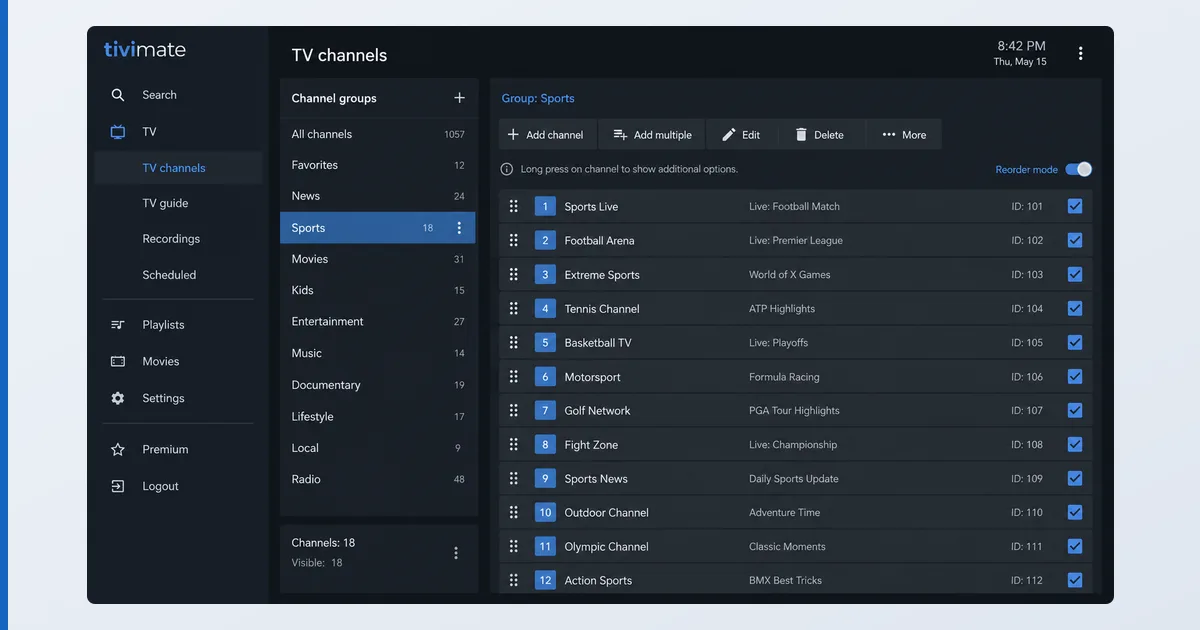
To organize channels in TiviMate, use Settings to create custom groups, drag channels into your preferred order, hide ones you never watch, and mark favourites for quick access. These edits shape your own view without changing the provider’s playlist, and they survive playlist updates. This guide walks through groups, ordering, hiding and favourites, with a troubleshooting table. For the full app, see our TiviMate review.
Before You Start
You need TiviMate installed with a playlist already loaded. Some features need Premium:
| You need | Detail |
|---|---|
| TiviMate | Installed on Android TV / Fire TV |
| Playlist | Your M3U or Xtream loaded |
| EPG (optional) | An EPG set up for a full guide |
| Premium (optional) | For multiple playlists and advanced sorting |
Step-by-Step
- Open channel settings. Go to Settings → Channels (and Channel groups).
- Create custom groups. Add named groups — e.g. Sports, News, Kids — and assign channels, building a layout independent of the provider’s categories.
- Reorder channels. Drag your most-watched channels to the top so the guide is quick to navigate.
- Hide unwanted channels. Toggle visibility off for channels you never watch to cut clutter — this affects your view only.
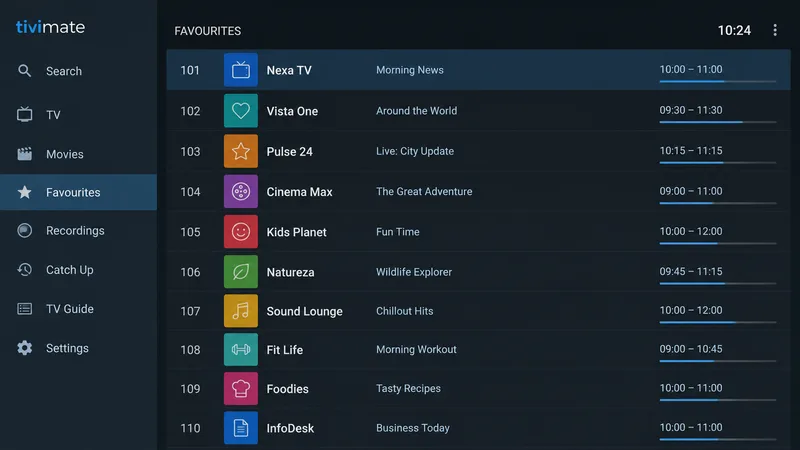
- Set favourites. Long-press key channels to add them to Favourites for the fastest access.
- Check it survives updates. After a playlist refresh, confirm your order and groups held; re-sort any renamed channels.
Tips for a Clean Layout
- Fewer, focused groups beat one huge list — group by how you actually watch.
- Hide aggressively: most provider playlists carry hundreds of channels you’ll never open.
- Favourites first: a short favourites group is the fastest daily view.
- Set up the EPG so your tidy list also shows now/next data.
Troubleshooting
| Problem | Likely cause | Fix |
|---|---|---|
| Groups won’t save | Editing the wrong menu | Use Settings → Channel groups |
| Order resets after update | Channels renamed by provider | Re-sort the affected channels |
| Can’t add multiple playlists | Free version limit | Upgrade to TiviMate Premium |
| Favourites missing | Not assigned | Long-press channel → add to Favourites |
| Hidden channels still show | Applied to wrong playlist | Check you edited the active playlist |
The Bottom Line
A few minutes organising TiviMate transforms daily use: build custom groups, put your most-watched channels on top, hide the clutter, and set favourites. Your edits shape your own view and survive playlist updates. Pair it with a proper EPG setup for the full cable-like experience. See the full TiviMate review, load a playlist with our M3U guide, pick hardware in our best device for IPTV players guide, and look up any term in the streaming glossary.