| # | Product | Rating | Price | |
|---|---|---|---|---|
| 1 | NordVPNBest via Device or Router | from €3.39/mo (2-yr), renews higher | Check Price | |
| 2 | SurfsharkValue + Smart DNS | from €2.19/mo (2-yr), renews higher | Check Price | |
| 3 | ExpressVPNBest Router Option | from €5.79/mo (2-yr), renews higher | Check Price |
Most smart TVs — especially Samsung (Tizen) and LG (webOS) — cannot run VPN apps at all, so the real fixes are a router VPN, a streaming device with a VPN app, or Smart DNS. Android TV and Google TV smart TVs are the exception, as they run native VPN apps. For everyone else, the simplest solution is usually a cheap streaming device. This guide explains each method honestly and ranks the VPNs that support them.
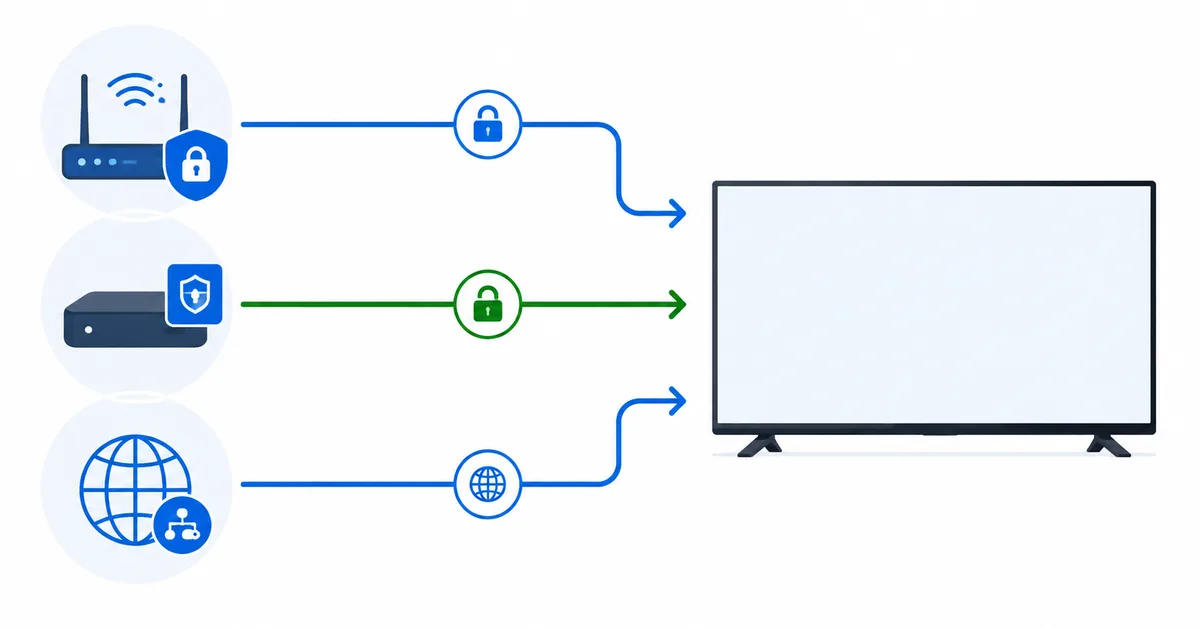
The Reality: Most Smart TVs Can't Run VPN Apps
Let’s be clear up front. Samsung (Tizen) and LG (webOS) smart TVs — the two biggest platforms — cannot install VPN apps. Only Android TV and Google TV smart TVs can, via the Play Store. So for most smart TVs, you need one of three workarounds — not a TV VPN app.
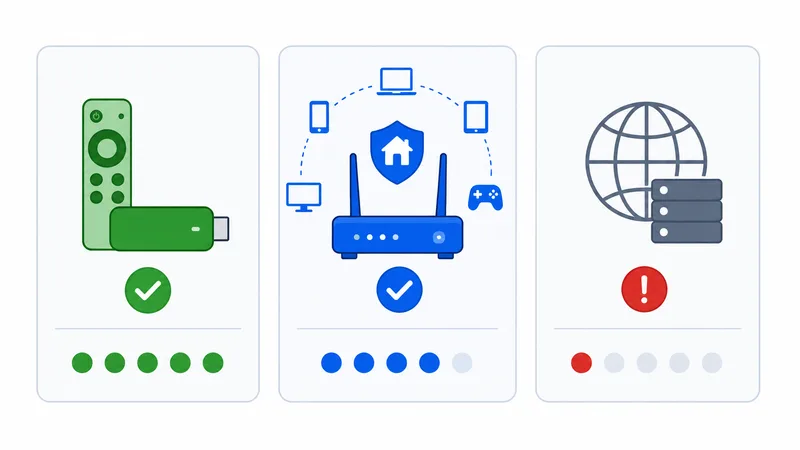
Your Three Real Options
Option 1: A Streaming Device (Simplest)
Plug in a cheap Fire TV Stick or Google TV device that runs a native VPN app. This is usually the easiest and cheapest fix, and it modernises your TV’s apps too. Our top device pick is the Fire TV Stick 4K Max.
Option 2: A Router VPN (Whole-Home)
Install a VPN on your router to cover the TV — and every other device — at once. More complex, with a bigger speed hit, but it protects devices that can’t run apps.
Option 3: Smart DNS (Limited)
Some VPNs include Smart DNS for devices that can’t run apps. It can change region settings but does not encrypt your traffic, is unreliable as services detect it, and offers no privacy — a last resort, not a real VPN.
Which VPN, and How
| VPN | Best method for smart TV | Smart DNS | Speed (tested) |
|---|---|---|---|
| NordVPN | Streaming device app or router | Yes | ~88% |
| Surfshark | Streaming device app or router | Yes | ~85% |
| ExpressVPN | Router (Aircove) or device | Yes | ~83% |
For an Android/Google TV smart TV, just install the app directly — see the Android TV VPN guide.
Verdict
For most smart TVs, the honest answer is: don’t look for a TV VPN app — add a streaming device instead. A cheap Fire TV Stick running NordVPN or Surfshark is the simplest, cheapest fix and upgrades your apps. Choose a router VPN (ExpressVPN’s Aircove is easiest) only if you need whole-home coverage, and treat Smart DNS as a limited last resort with no privacy. If your smart TV runs Android/Google TV, you’re lucky — just install the app.
NordVPN Pricing → Surfshark Pricing →
Compare devices in smart TV vs streaming device and the best streaming devices guide. Look up any term in the streaming glossary.